QR ordering for restaurantsBeta – free for now
Ordering from the table, without the wait.
Guests scan the QR code on their table, build their order and follow it live. Your team handles orders, kitchen, menu, staff and numbers in one place.
- No app to download
- Set up in 15 minutes
- Menu in HU, EN, DE
How it works
Three steps for guests, zero extra work for you
- 1
Scan
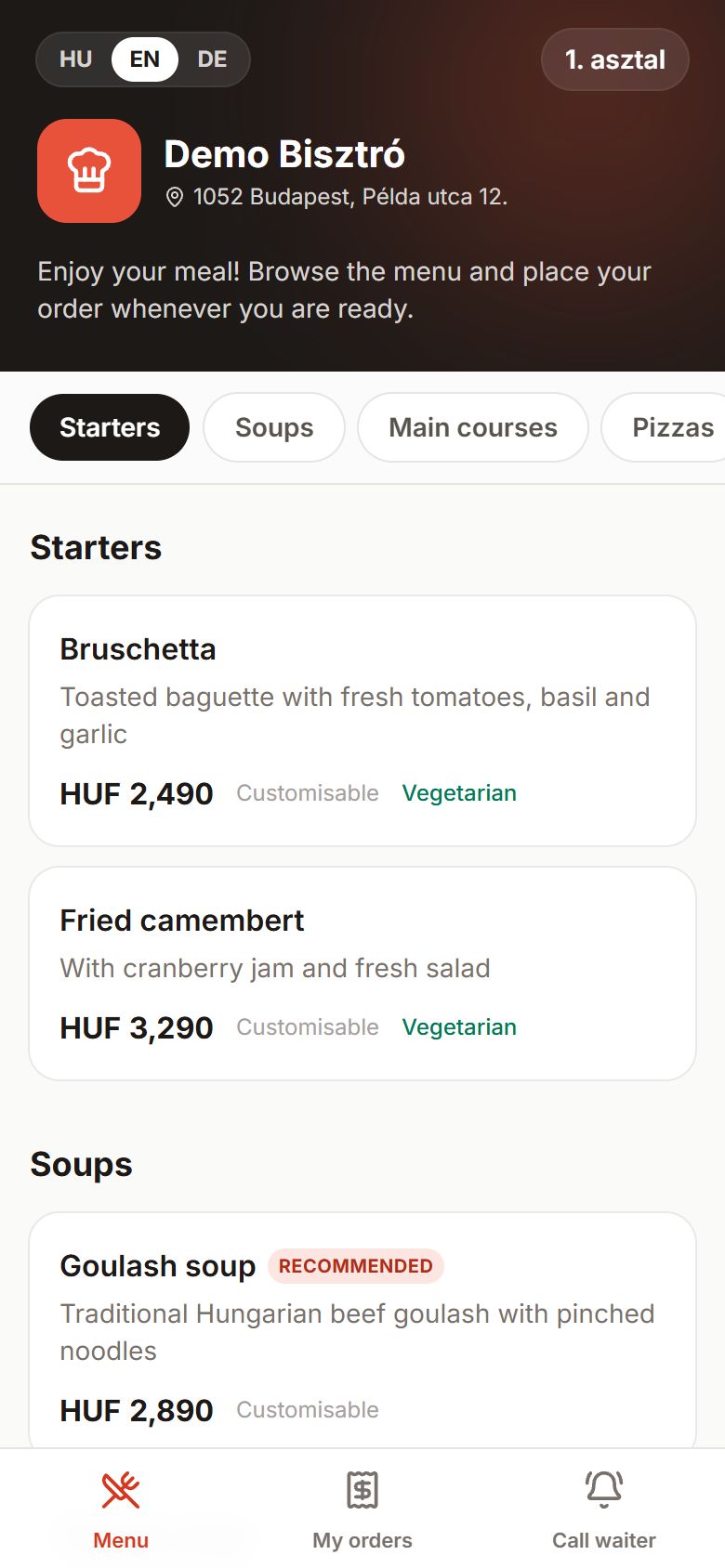
The guest scans the QR code on the table with their phone camera. The menu opens instantly – in their language.
- 2
Order
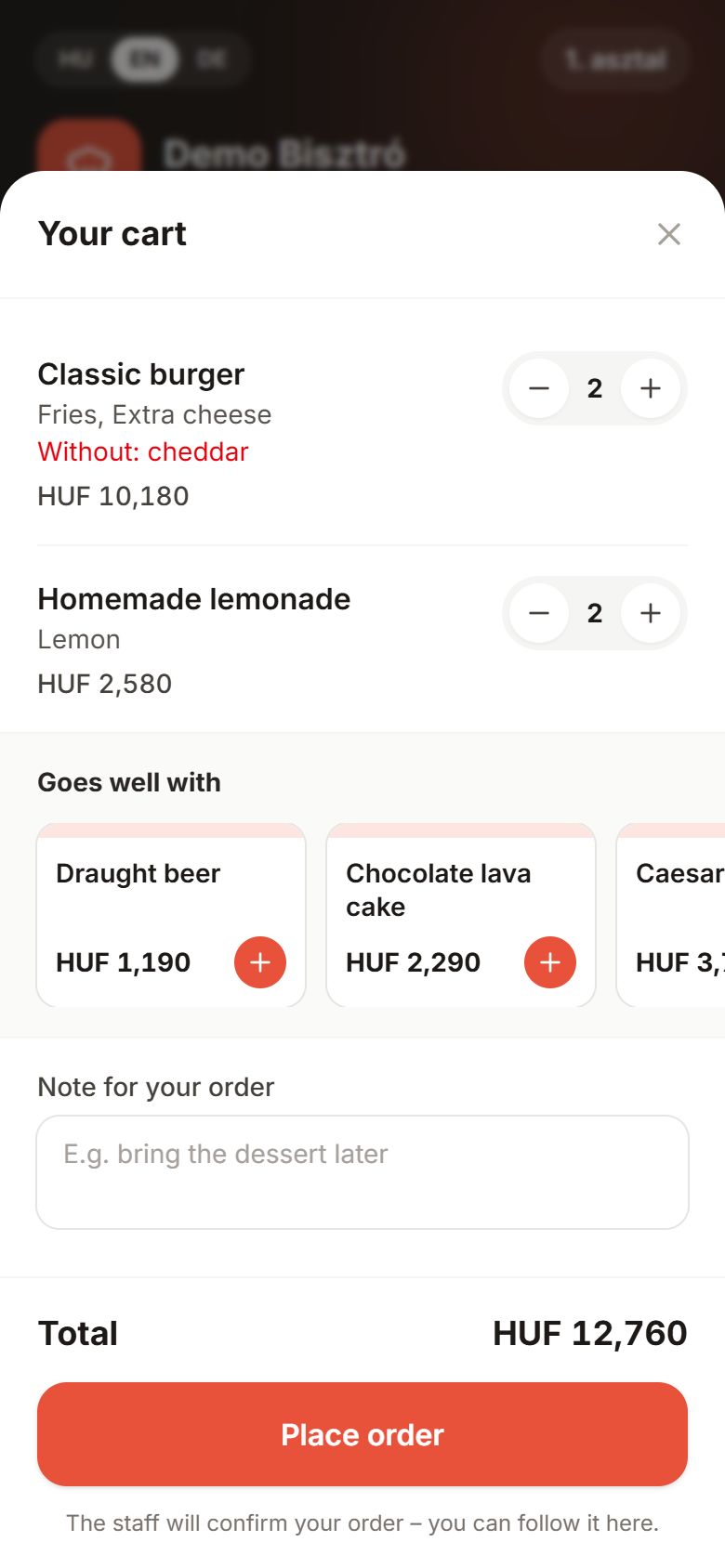
They pick dishes, sides and extras, leave out what they don’t want and send it. The order reaches you with a sound alert.
- 3
Follow
You confirm it with an estimated time, the kitchen prepares it, and the guest sees every step. Waiter and bill are one tap away.
Guest experience
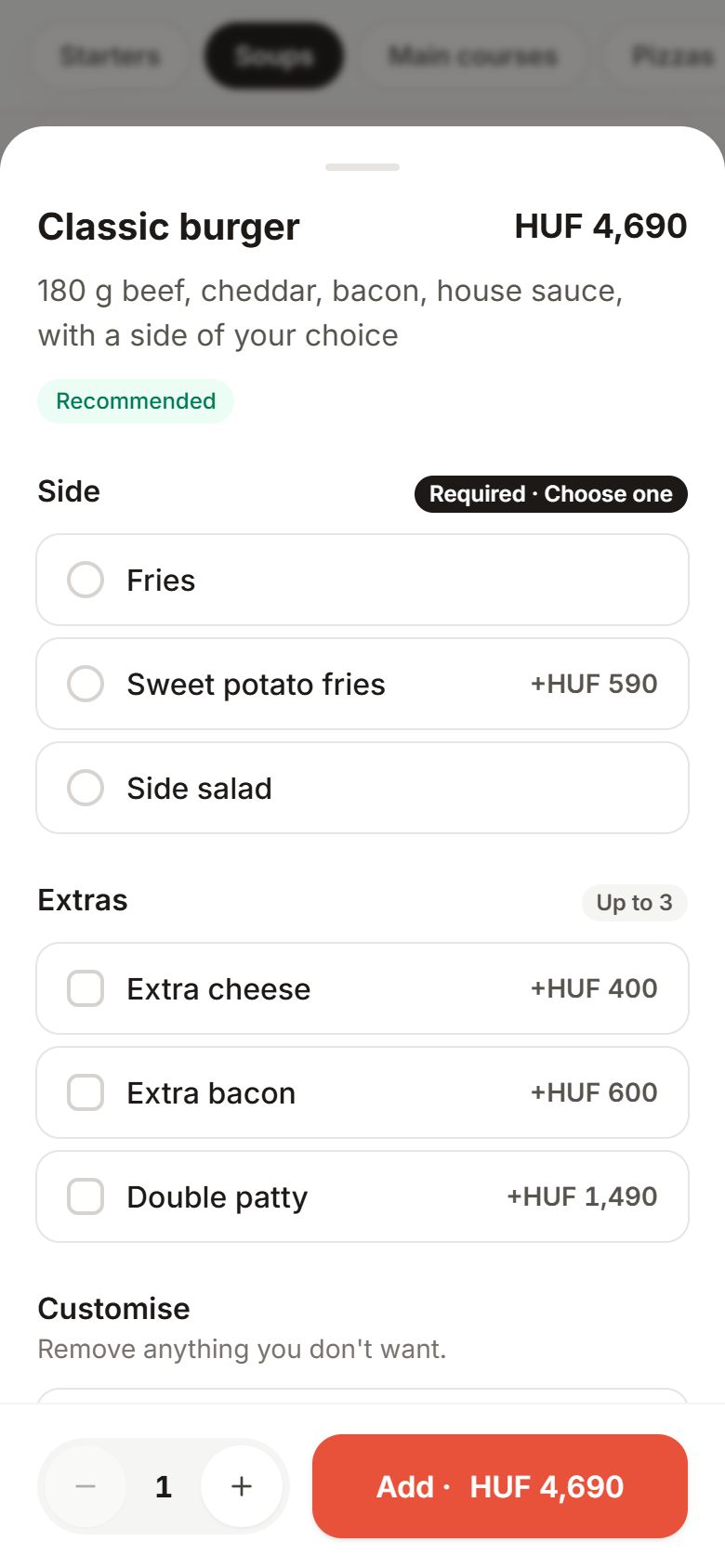
A menu that sells – with photos, options and three languages
- Sides, sizes and paid add-ons; guests can leave out what they don’t want
- Allergens, tags (vegan, spicy…) and sold-out labels
- “Goes well with” suggestions in the cart – bigger average orders
Service
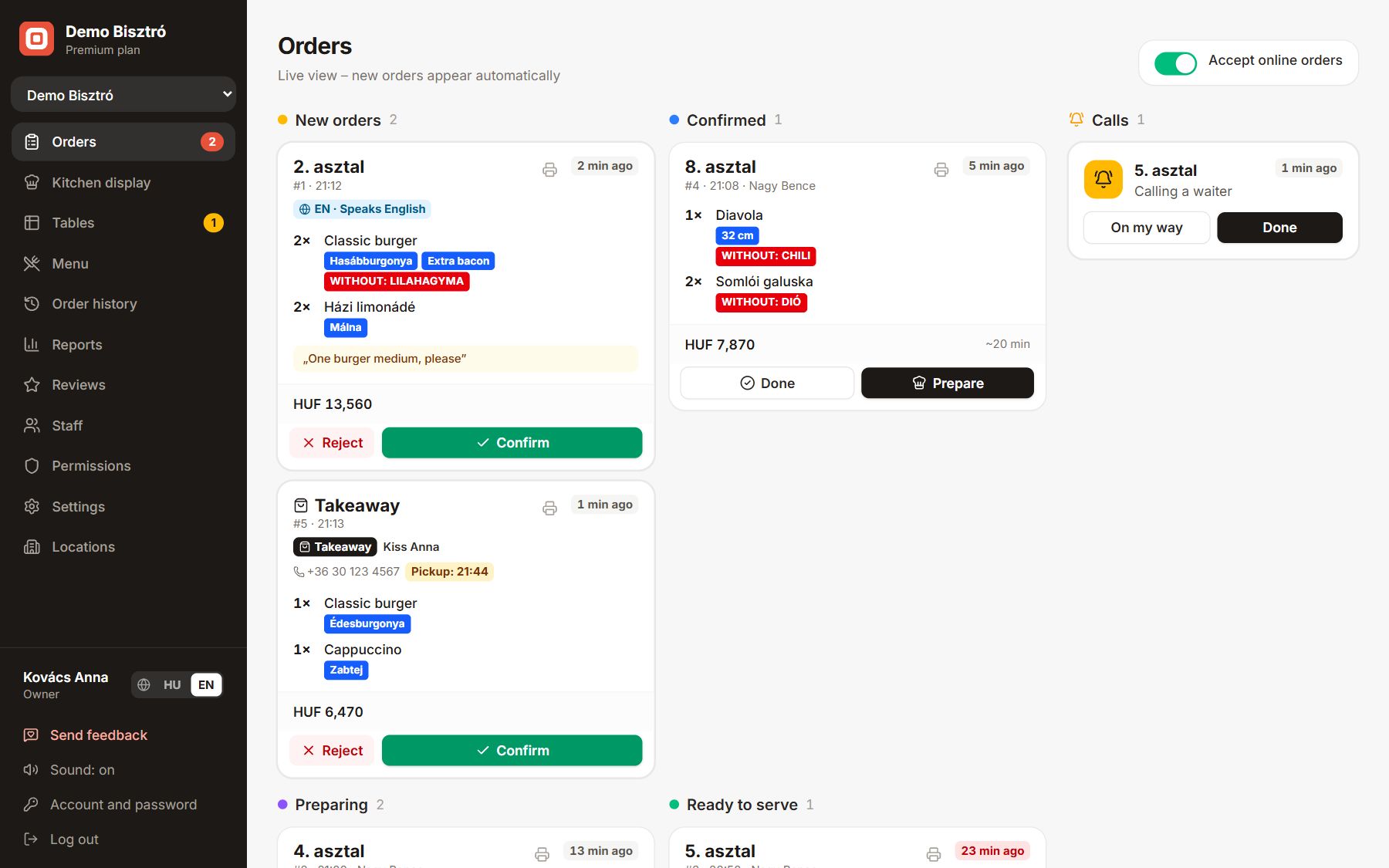
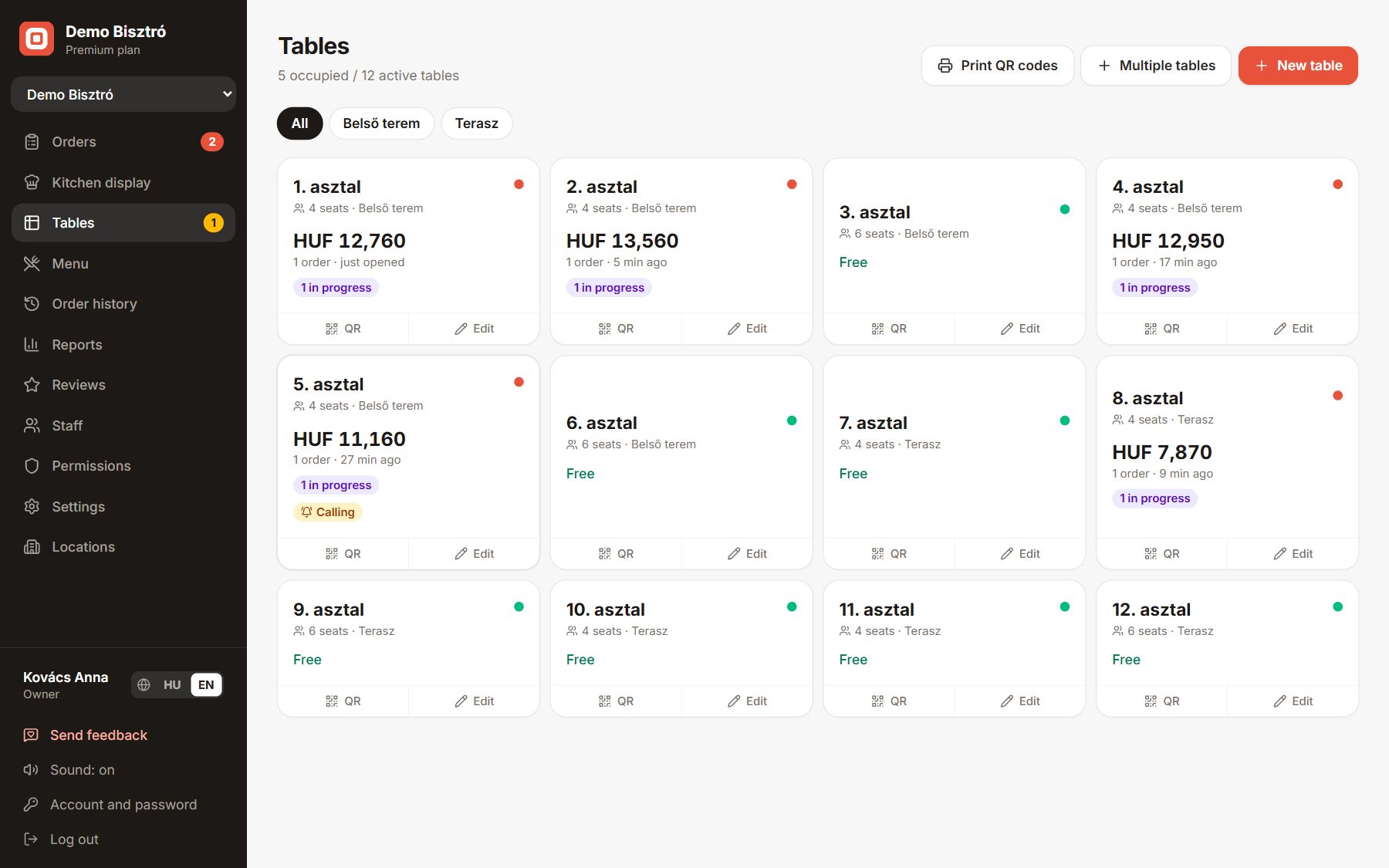
Every order on one screen, live
- Sound alerts for new orders and waiter calls
- Confirm with an estimated time – the guest sees it too
- Table overview: who sits where, running totals, who asked for the bill
Kitchen
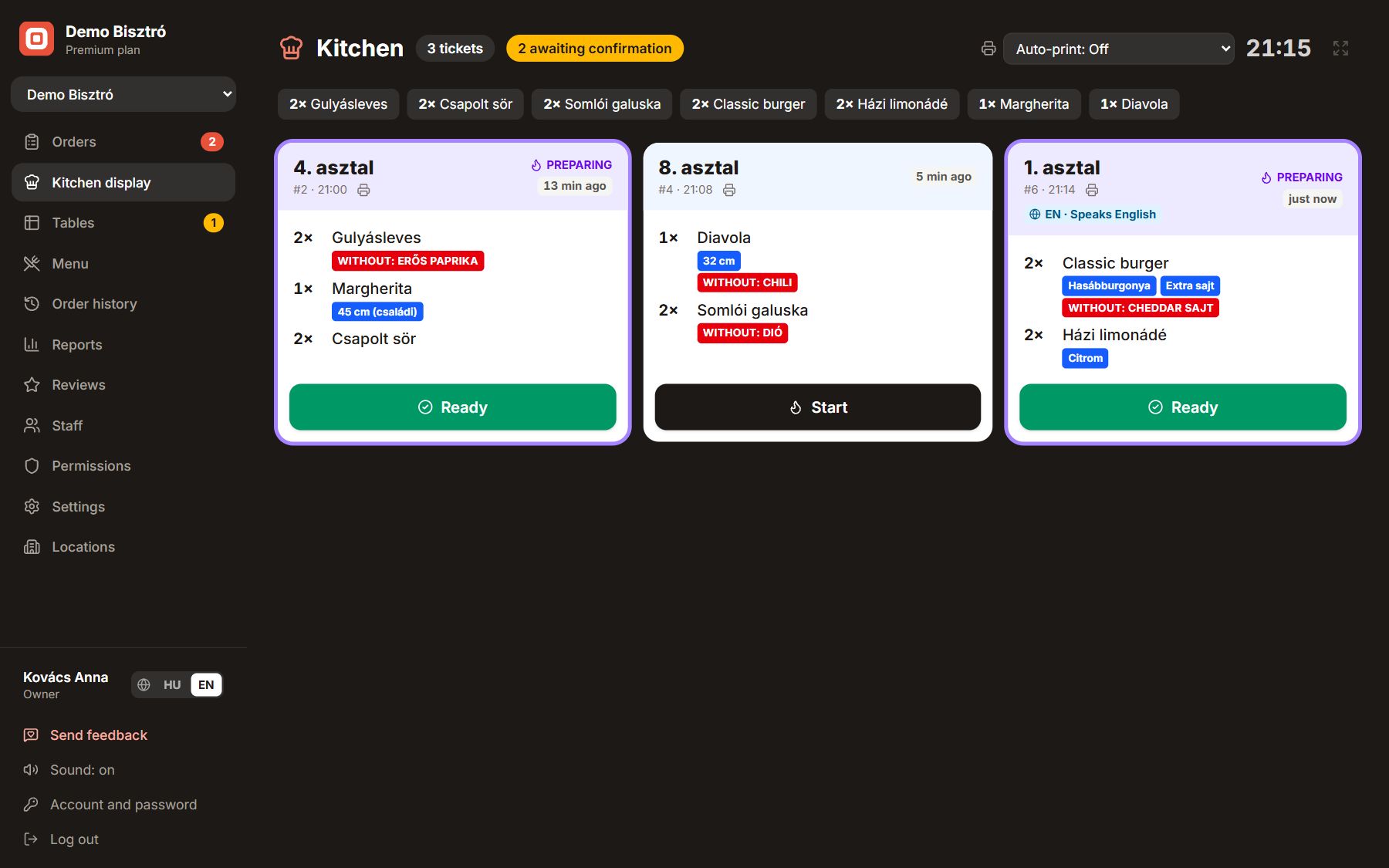
A kitchen display that never misses a thing
- Big, readable tickets, coloured by waiting time
- Removed ingredients, extras and notes stand out
- Automatic 80 mm ticket printing if you want it
Reports
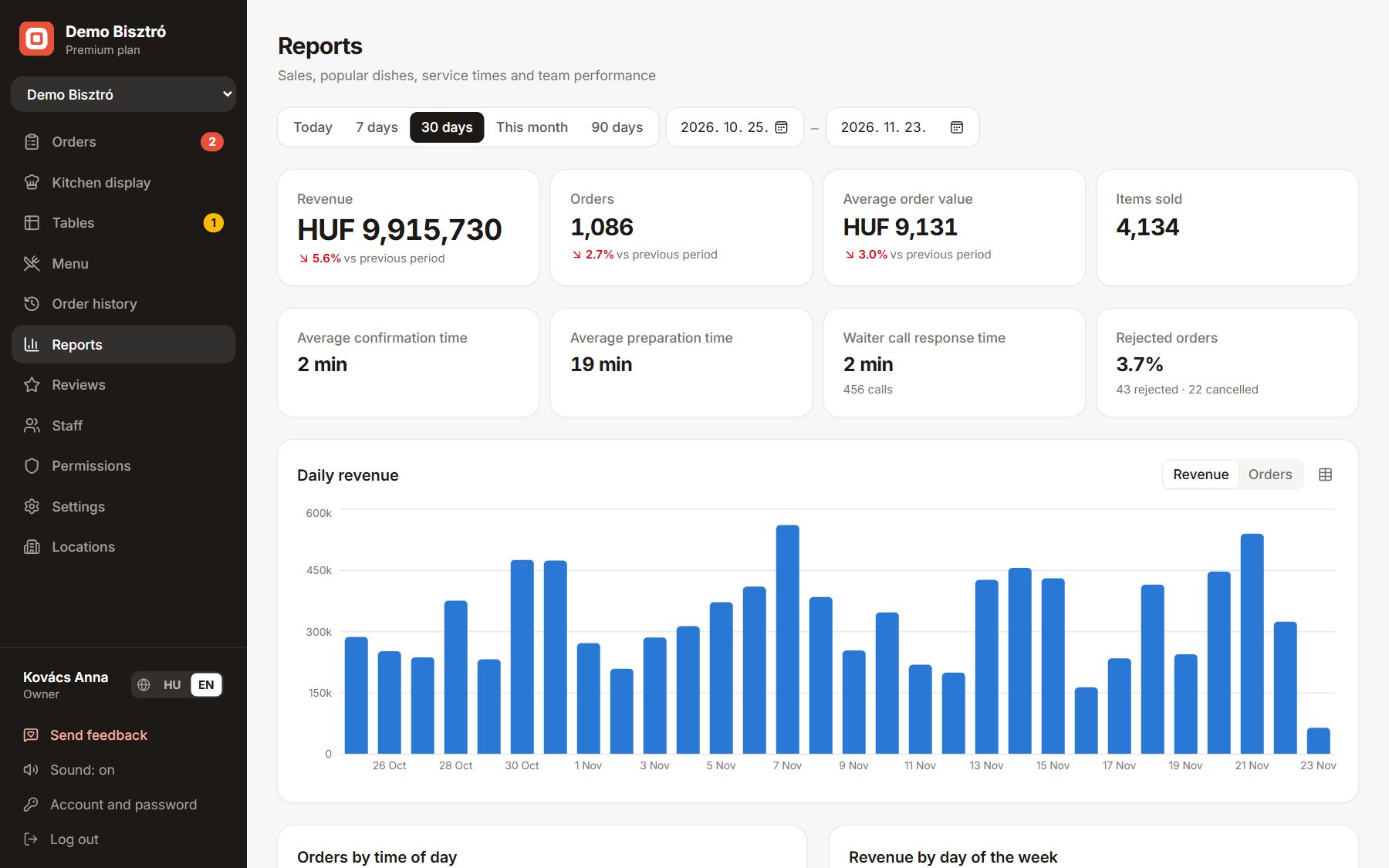
See what works – and what doesn’t
- Revenue, peak hours, best sellers and popular extras
- Service times, team performance and guest ratings
- Monthly summary by email, order history with Excel export
And more
Everything a smooth shift needs
Waiter call, bill request
One tap at the table, instant alert for staff.
Takeaway & pre-orders
Your own order page with pickup times and email notifications.
Promotions & scheduling
Happy-hour prices, breakfast and daily menus only when they apply.
More Google reviews
Happy guests are sent to Google, complaints come only to you.
Team & permissions
Owner, manager, waiter, kitchen – or your own roles.
Printable QR codes
A unique code per table, on a sheet ready to print.
2-hour QR rule
Only people at the table can order – no prank orders from home.
Multiple locations, your brand
One account for chains, menu copying, your colours on the guest page.
Who it is for
Any venue where guests sit at a table
QR code ordering pays off most where guests are many, hands are few and every minute counts.
Restaurants and bistros
Guests order when they are ready – no waiting for a waiter. The kitchen gets a precise written order, and “no onion” never gets lost.
Cafés
Fast, repeat orders and a small team: guests order another coffee from the table, the counter just serves.
Bars and pubs
No queueing at the bar at peak time: the next round is one tap, and drinks go straight to the bar display.
Pizzerias and fast casual
Table ordering and takeaway in one system, with pre-orders and pickup times.
Terraces and gardens
Big area, many tables: no waving needed – waiter calls and bill requests arrive instantly.
Venues with tourists
Foreign guests see the menu in English or German, while the kitchen still receives the order in your language.
What is QR code ordering, and why does it pay off?
The idea behind QR code ordering is simple: every table has a code that guests scan with their phone camera. The digital menu opens – with photos, descriptions, allergens, in their own language – and they order right there. No app to download, no sign-up, and no waiting for a waiter to reach the table.
For the restaurant this means less running around and fewer mistakes. Orders arrive in writing and complete – sides, extras and “no onion” included – the bar confirms them with an estimated time, and the kitchen sees them on its own display or ticket. Waiters get their time back for what really matters: the guests.
A digital menu also sells: photos, “goes well with” suggestions and timed promotions (like happy hour) raise the average order value, and you update prices or sold-out dishes in one click – no reprinting. Reports show what sells, when you are busiest and how long orders take.
Qrolla brings all of this together: QR code menu and ordering, waiter calls, a kitchen display that separates bar and kitchen, takeaway ordering, stock counts and reports. It runs in the browser on any phone, tablet or laptop, and you can set it up in about fifteen minutes with a small menu.
Pricing
Launch period: everything is free
Sign up now and get every feature of the Premium plan at no cost. All we ask is that you tell us what you like and what’s missing – there’s a feedback button right in the dashboard.
- Nothing to install, no special hardware – a phone, tablet or laptop is enough
- No credit card needed to sign up
- Cancel anytime, export your data
- Built and supported in Hungary
Only guests actually at the table can order
Scanning the QR code grants a 2-hour ordering window. Anyone opening the page later from an old link or their browser history can browse the menu but can’t order or call a waiter – no prank orders the next day.