How QR code ordering at the table works
Everything happens in the guest’s phone browser, with no app to install and no account to create.
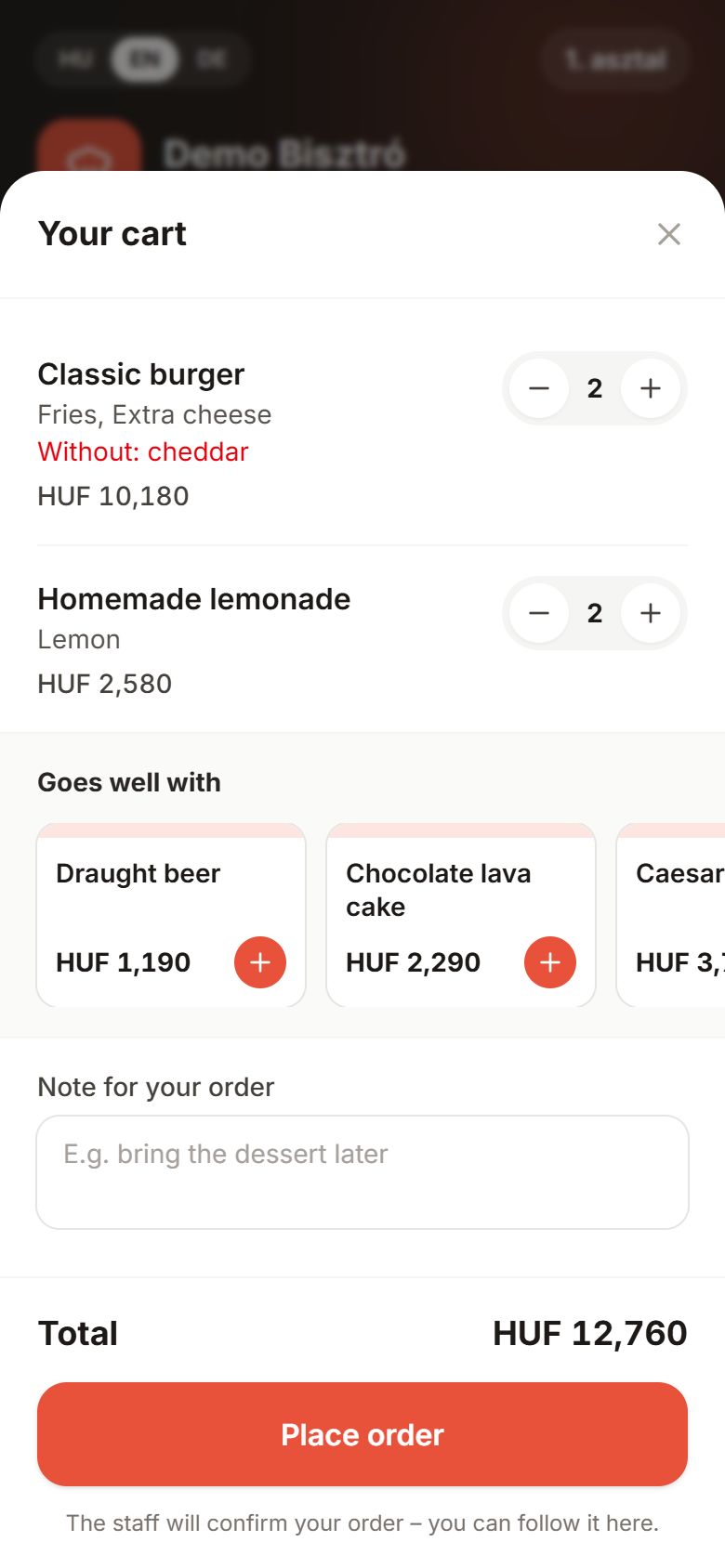
If a price changes or a dish sells out while it is sitting in someone’s cart, the guest is warned, and nothing is ever charged at a different price from the one they saw.
- The guest scans the table’s own QR code and the menu opens.
- They add food and drinks to the cart, pick sides, sizes and extras, and can add a note.
- They place the order, which pops up on your live order board with a sound alert.
- A waiter confirms it with one tap and an estimated ready time, or rejects it with a reason the guest can see.
- The kitchen gets the items on its own display or as a printed ticket.
Live order tracking for every guest
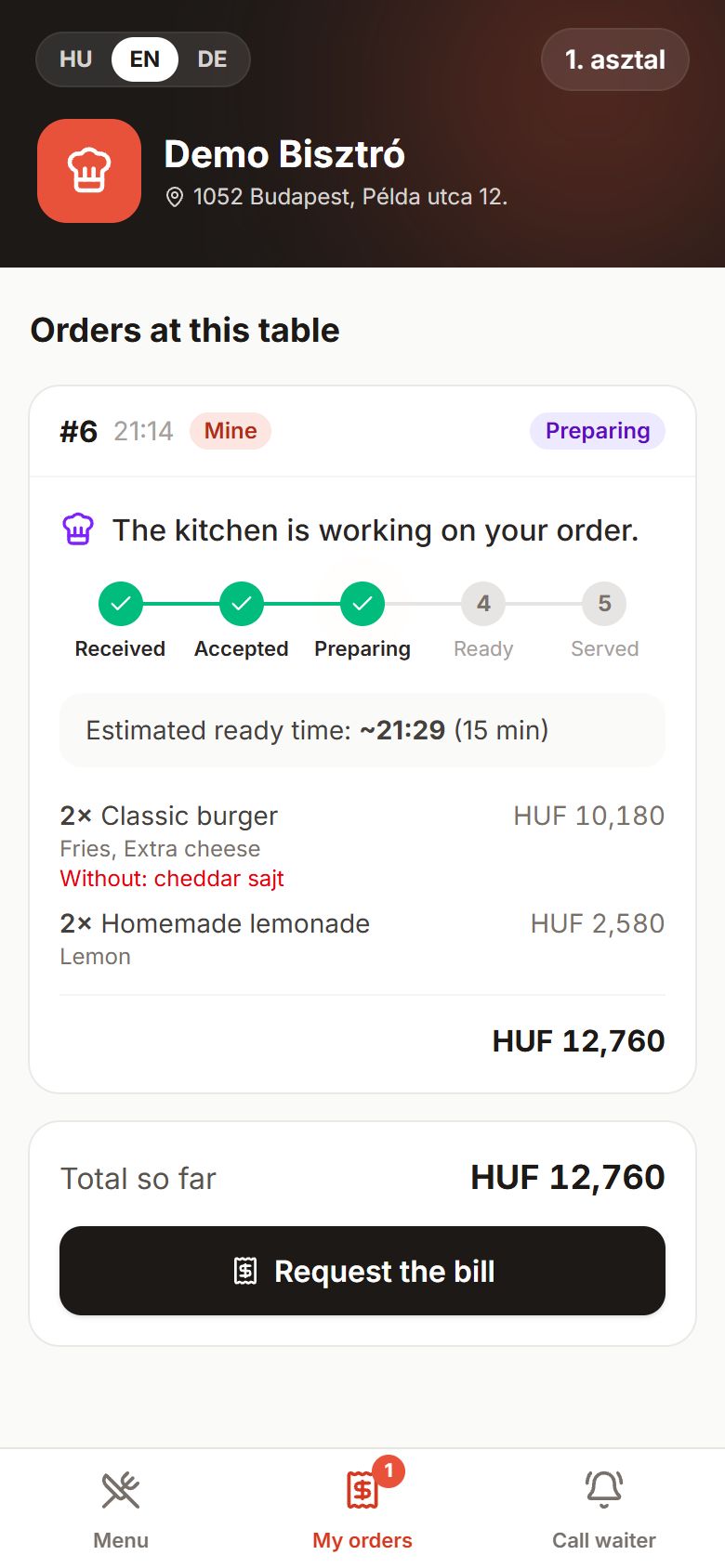
Once the order is in, guests follow a live status: received, confirmed (with an estimated ready time), preparing, ready and served. They get a notification at each step, so nobody needs to flag down a waiter to ask where their pizza is.
Until the kitchen starts preparing it, guests can cancel or change their own order. A changed order goes back to your staff for re-confirmation, so nothing slips through unnoticed.
Call the waiter, ask for the bill, order another round
Ordering at the table does not replace your waiters; it takes the routine jobs off their hands. Guests can call a waiter or request the bill with one tap, and staff immediately see which table needs them.
Several people at one table can order, over as many rounds as they like: the second round of drinks is as easy as the first. The table sees a shared running total, so the bill holds no surprises. At the end, guests can leave a star rating. Happy guests are invited to review you on Google, while negative feedback comes privately to you alone.
A restaurant ordering system your staff will like
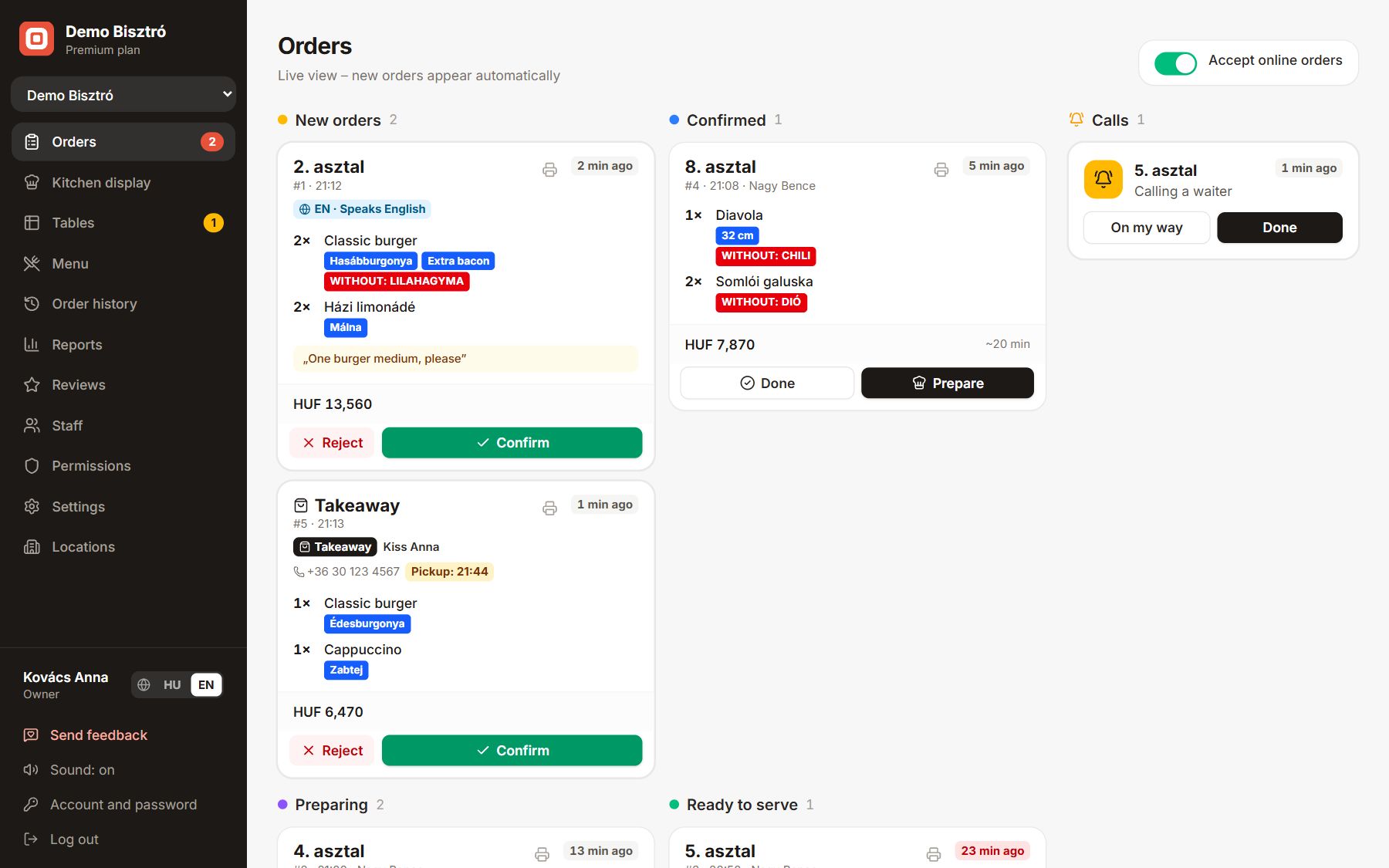
Waiters and managers see everything on one live order board, on a phone, tablet or laptop. No paper slips, no “which table was that?”.
- New orders with a sound alert; confirm with an ETA or reject with a reason.
- A language badge when a tourist orders, while the items still appear in your language.
- Tables overview: open tables, running totals, waiter calls and bill requests.
- Close the bill with a payment method: cash, card, SZÉP card and so on.
- Order history with filters and Excel or CSV export.
- Built-in roles (owner, manager, waiter, kitchen) plus custom roles with their own permissions.
Kitchen display and stations: every item in the right place
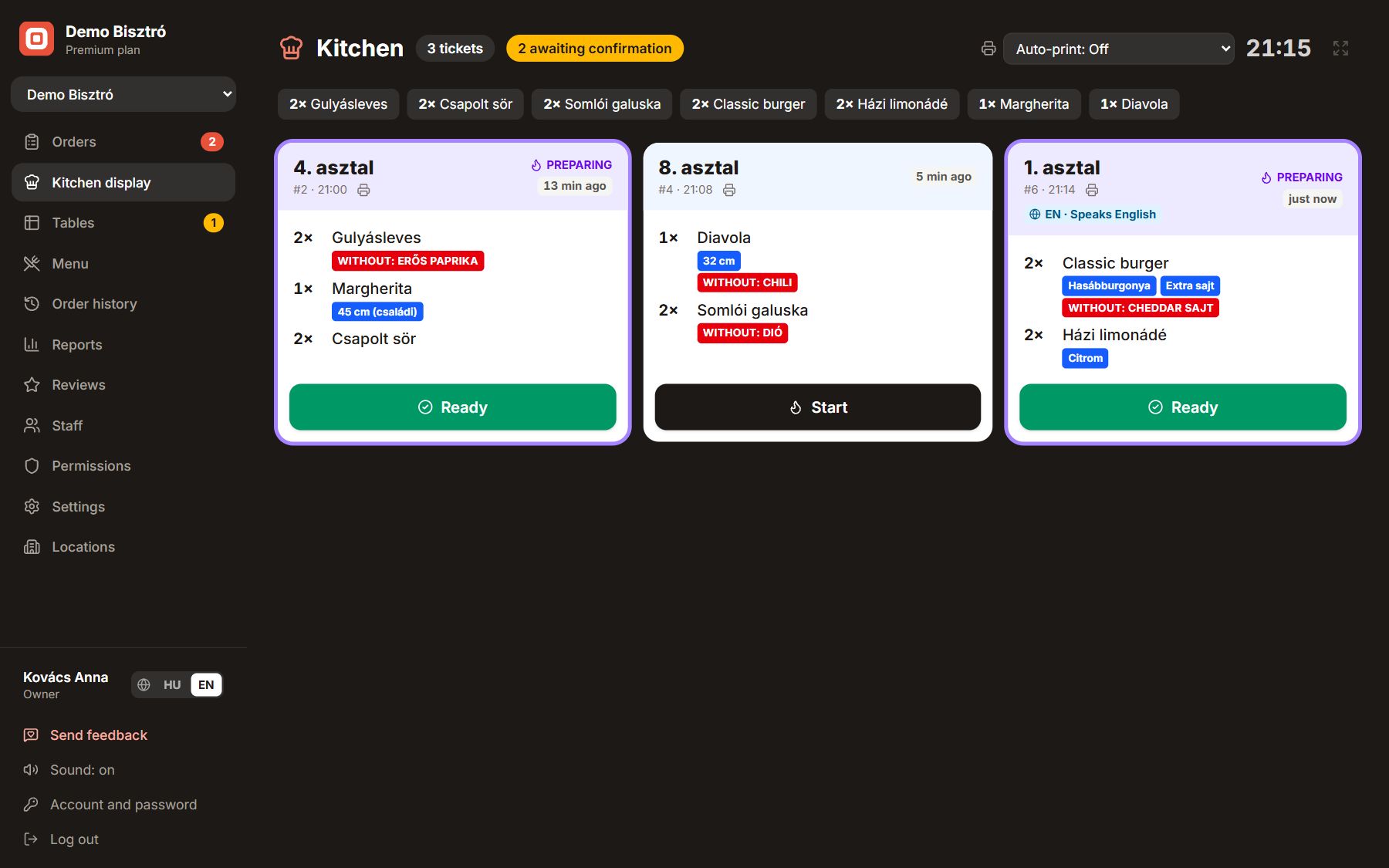
Your kitchen sees orders on a kitchen display (KDS) running on a tablet or TV: large, easy-to-read tickets coloured by how long they have been waiting, with start and ready buttons for the cooks.
Stations split each order where it belongs. Drinks go to the bar, food goes to the kitchen, and you can add your own stations, such as a grill. Each device chooses which station it shows. An order is ready when every station has finished, and waiters can see the status of each one. If you prefer paper, Qrolla prints 80 mm thermal tickets automatically.
Fewer mistakes, bigger orders
When guests order for themselves, there are no misheard sides or forgotten “no onion” requests. Options (sides, sizes, paid extras), removable ingredients and notes for the kitchen arrive exactly as the guest entered them.
“Goes well with” suggestions in the cart, set by you or calculated from order history, remind guests about dessert and drinks. Happy hour promo prices and “only 3 left” labels help them decide too. Your reports show revenue, peak hours, best sellers and service times, and a summary arrives by email every month.
Payments, tills and what to expect
Qrolla is an ordering and kitchen system, not a till. It does not connect to a POS system or to NTAK, the Hungarian hospitality data service. Guests pay as they do today, at the table or the counter, and you keep issuing receipts and meeting your reporting obligations through your existing system. In-app online payment is planned for later.
You are also protected against prank orders. Each scan opens a two-hour ordering window, reopening the page later from browser history allows browsing only, and you can regenerate any QR code in one click. On top of that, your staff confirm or reject every order.
Live in about 15 minutes, with no commission
With a small menu, setup takes about 15 minutes: add your dishes, create your tables and print the QR codes as A6 cards or A4 sheets with four cards each. Any device with a browser will do, and a thermal printer is optional. If you also sell takeaway, you get your own online order page where guests choose a pickup time and pay on collection.
Every feature is free during the launch period. Paid plans will start at HUF 9,900 a month, with no commission per order, no lock-in and no card needed to sign up. Try the live demo on your own phone, or sign up and start taking orders at the table today.