Features
Everything from the first order to closing time
Guest ordering, order management, kitchen, menu, takeaway, reports and team – one system, on any device.
Guest experience
Guests install nothing: they point their camera at the code and the menu is open. Fast, clear and in their own language.
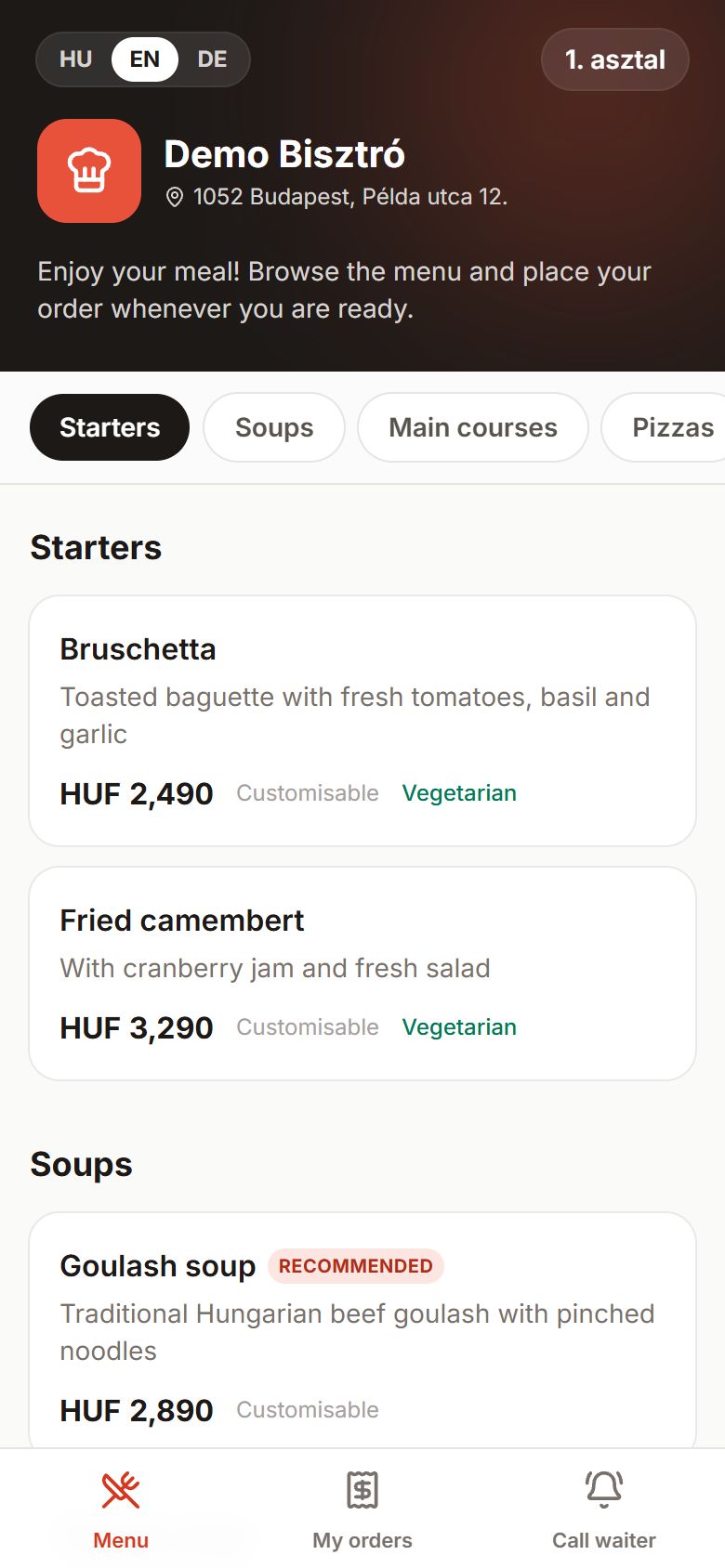
Menu
- Categories, photos, descriptions, prices
- Allergens and tags (vegetarian, vegan, spicy, gluten-free…)
- Hungarian, English and German – picked automatically from the phone’s language
- Highlighted recommendations, promo prices with the original crossed out
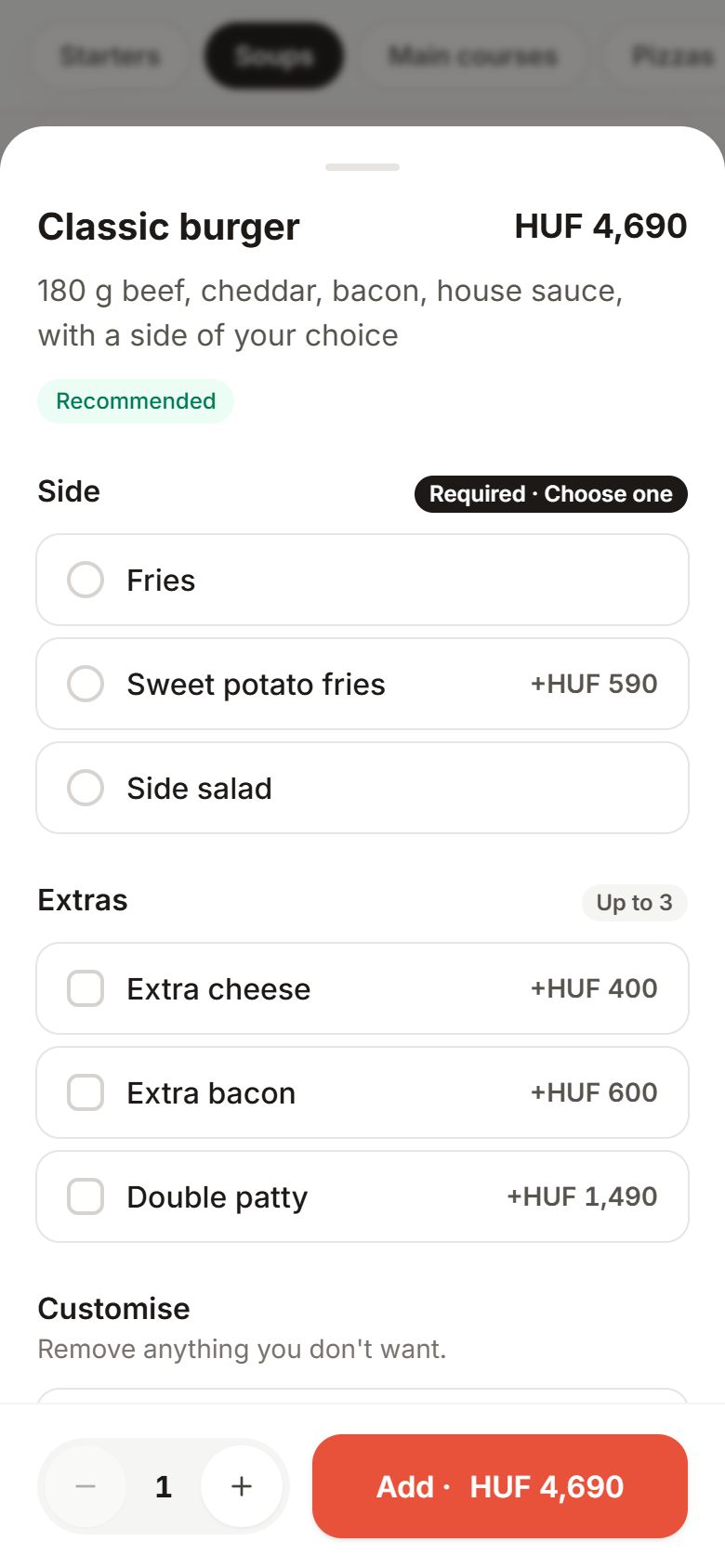
Ordering
- Required and optional choices: sides, sizes, paid add-ons
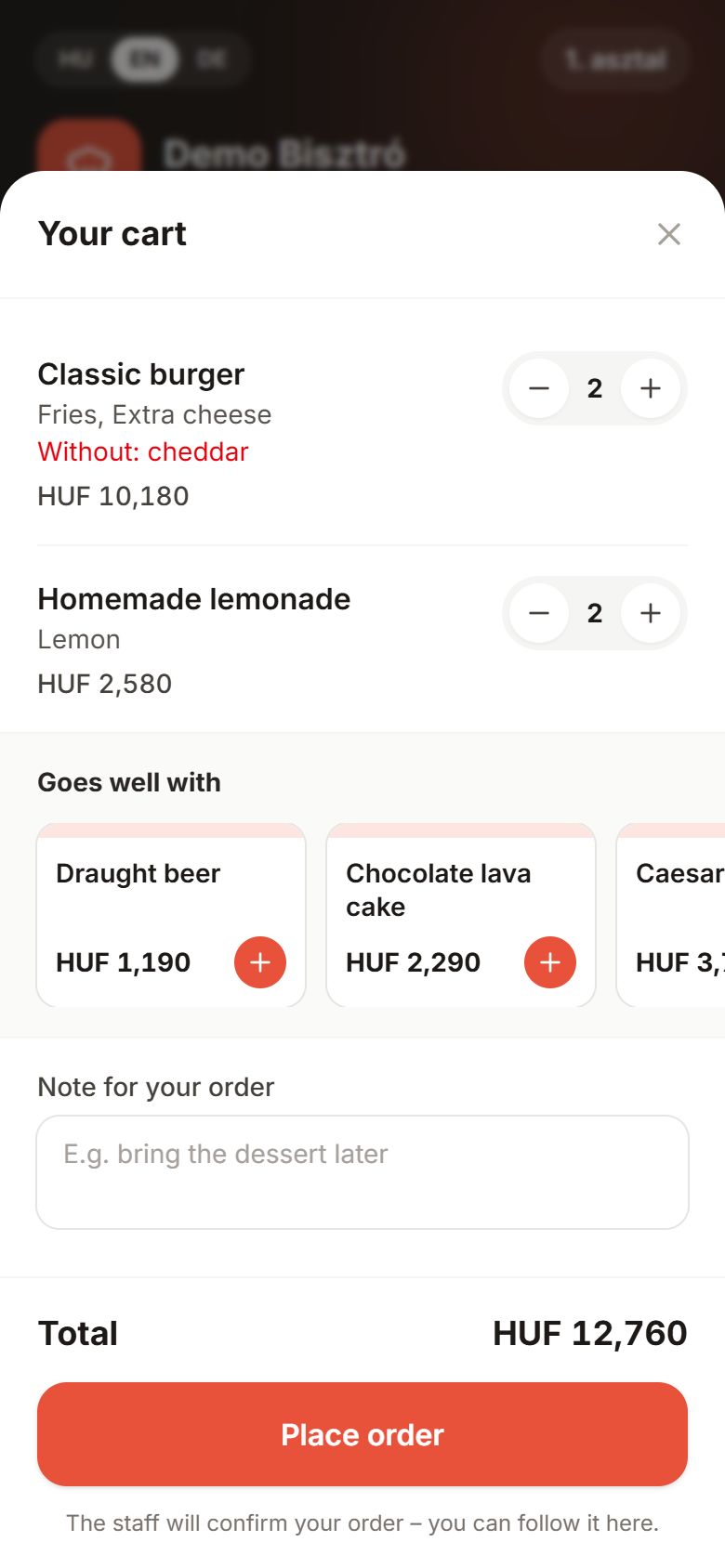
- Removable ingredients (“no onion”) and notes for the kitchen
- “Goes well with” suggestions in the cart
- The cart warns if something sells out or a price changes meanwhile
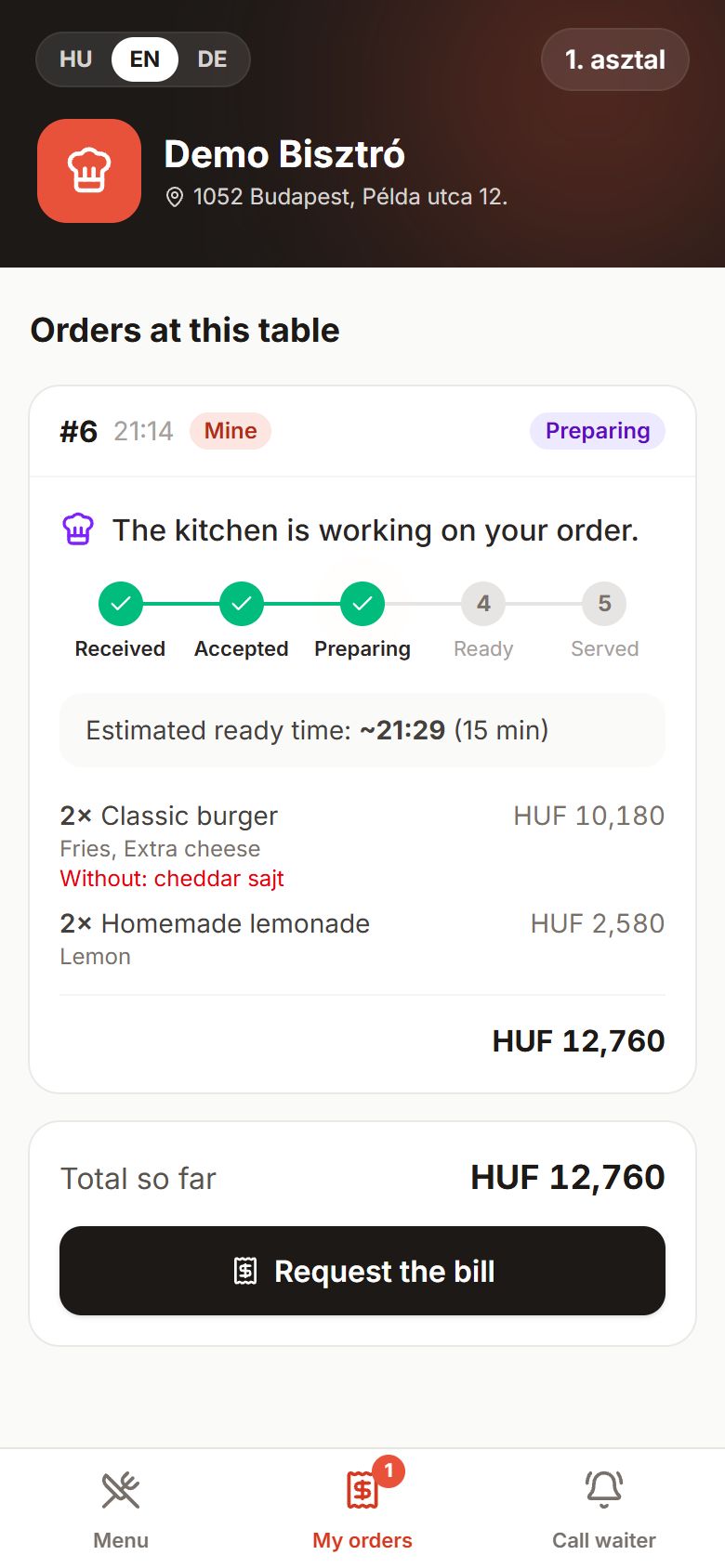
At the table
- Live status: received → confirmed → preparing → ready → served
- Estimated ready time and a notification when it’s done
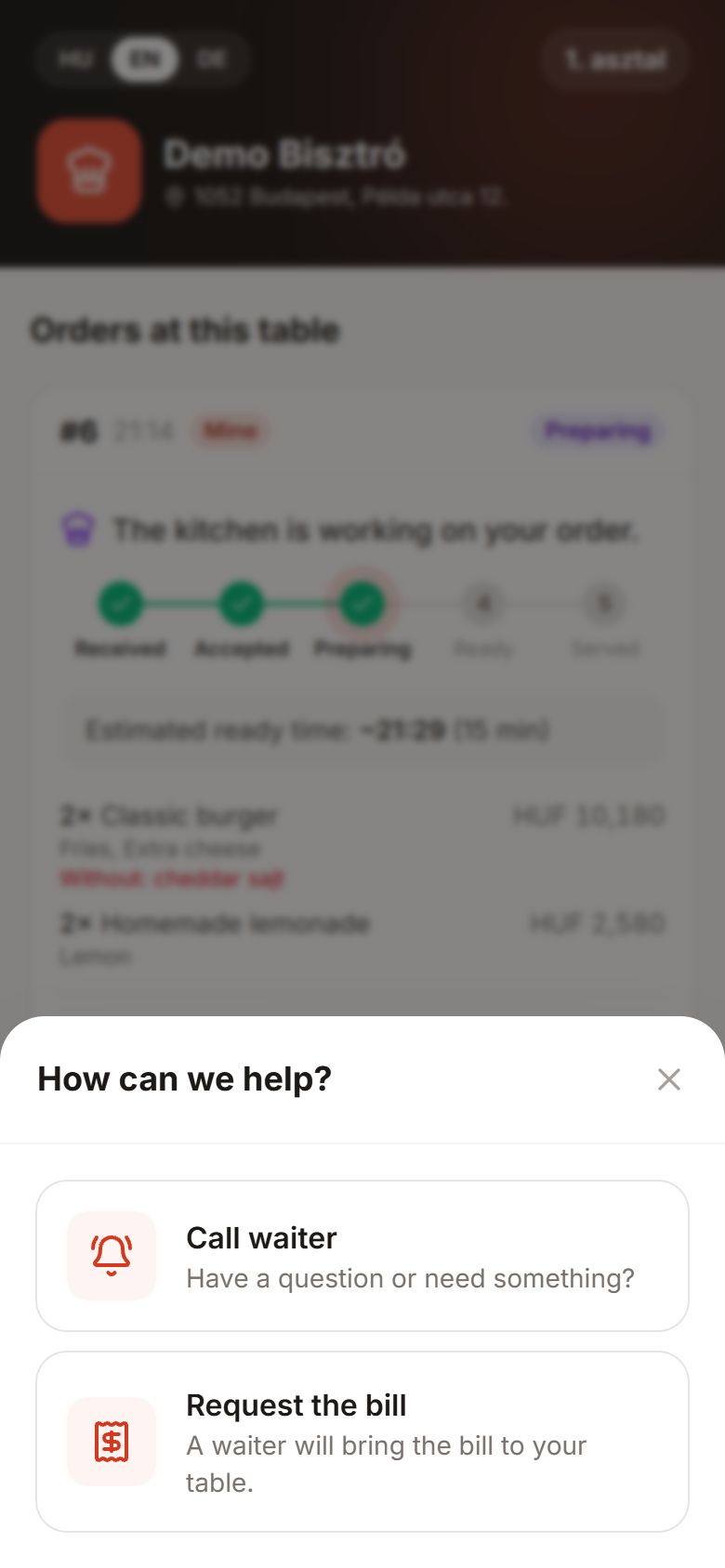
- Call a waiter or ask for the bill with one tap
- Shared running total for the table; unconfirmed orders can be cancelled
- A rating at the end – happy guests are sent to Google
Orders and service
The bar, the waiters and the manager all see the same thing in real time. No paper slips, no “which table was it?”.
Orders
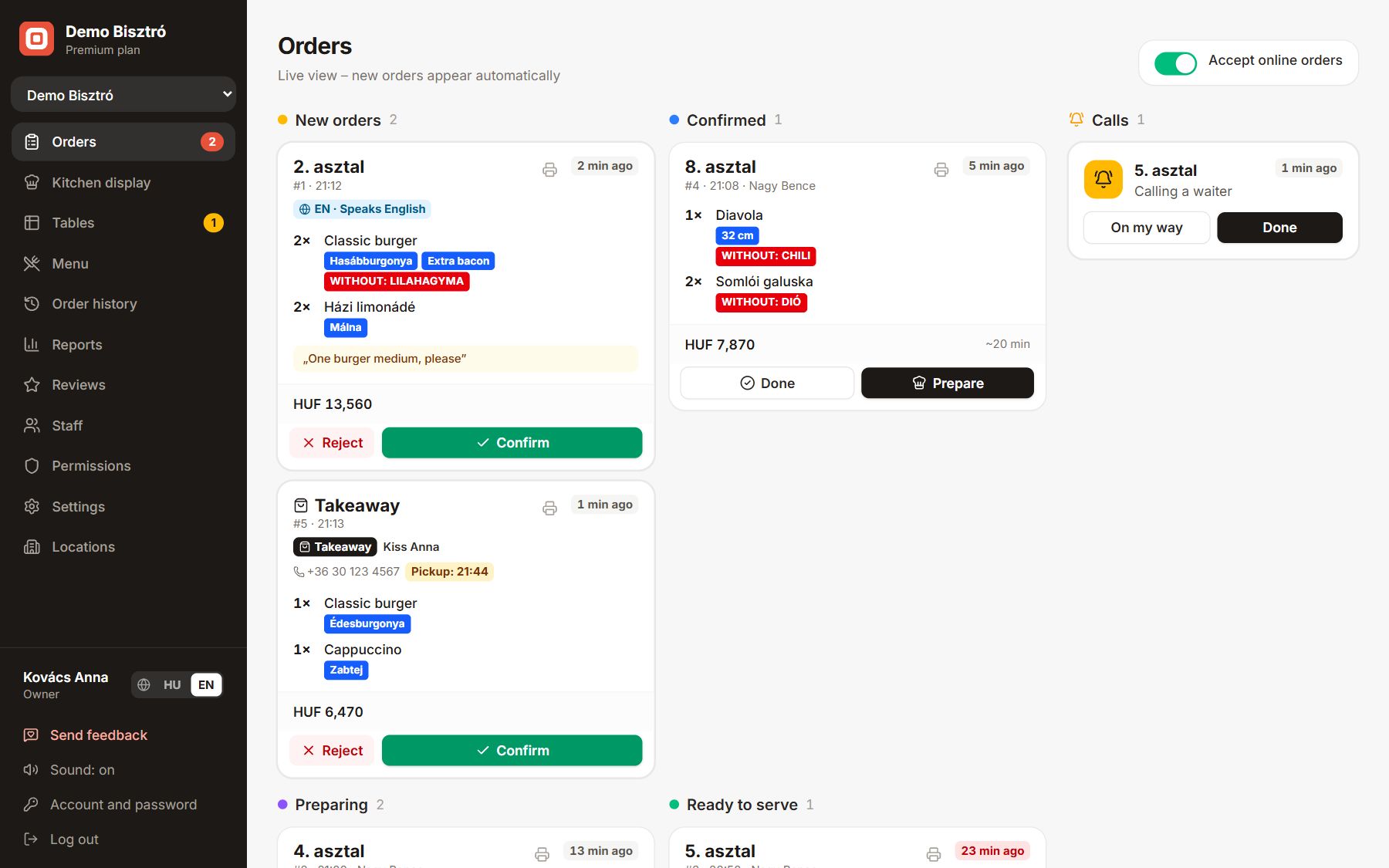
- New orders with a sound alert, even in a background tab
- Confirm with an estimated time, or reject with a reason
- One-tap statuses: preparing, ready, served
- See which language the guest ordered in
Tables
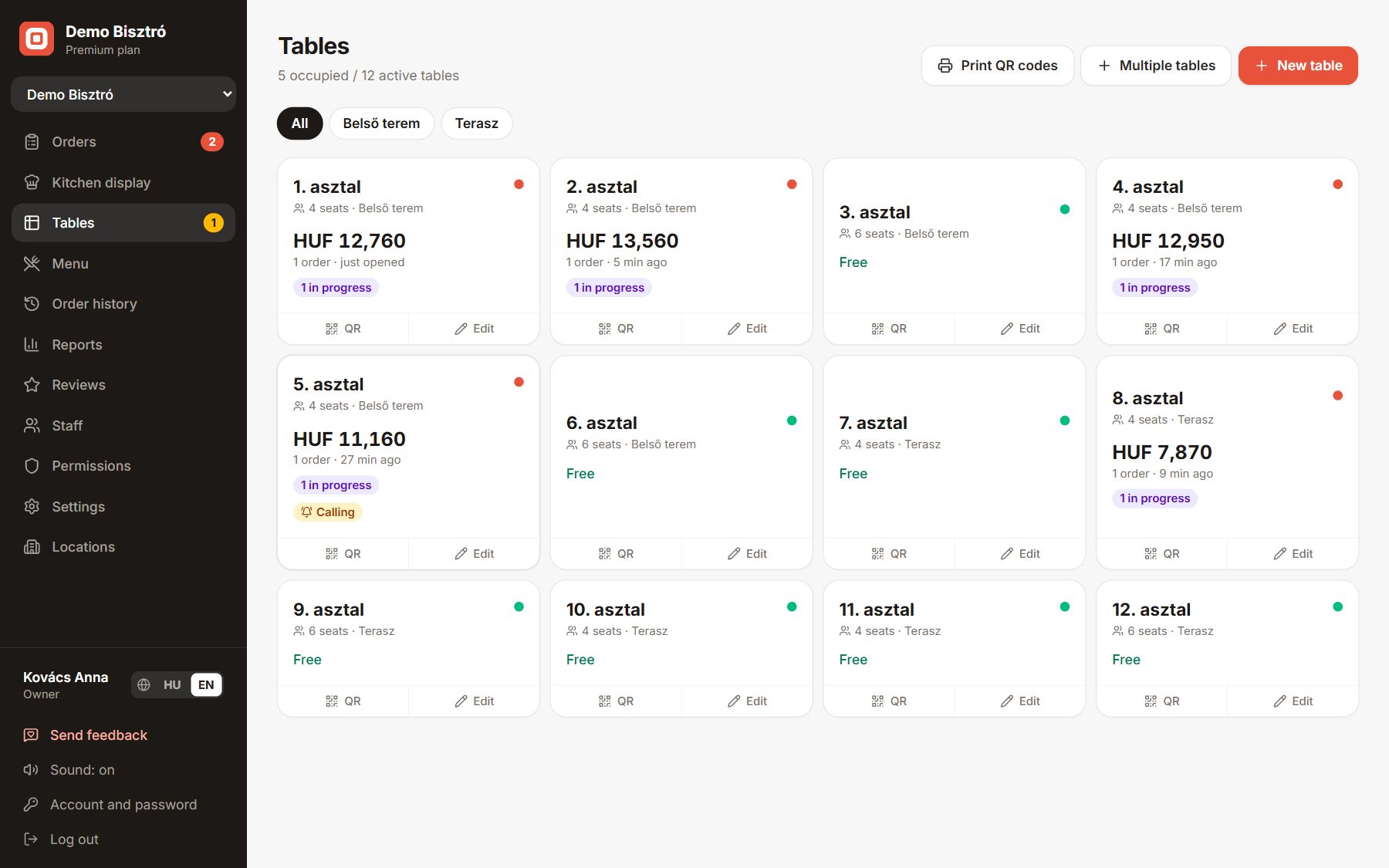
- Table overview: free, occupied, call, bill requested
- Running total per table, close the bill with a payment method
- Acknowledge calls – the guest sees you’re on the way
- Order history with filters and Excel export
Kitchen
A tablet or TV in the kitchen and every ticket is right there, easy to read. Prefer paper? We print it.
Kitchen display
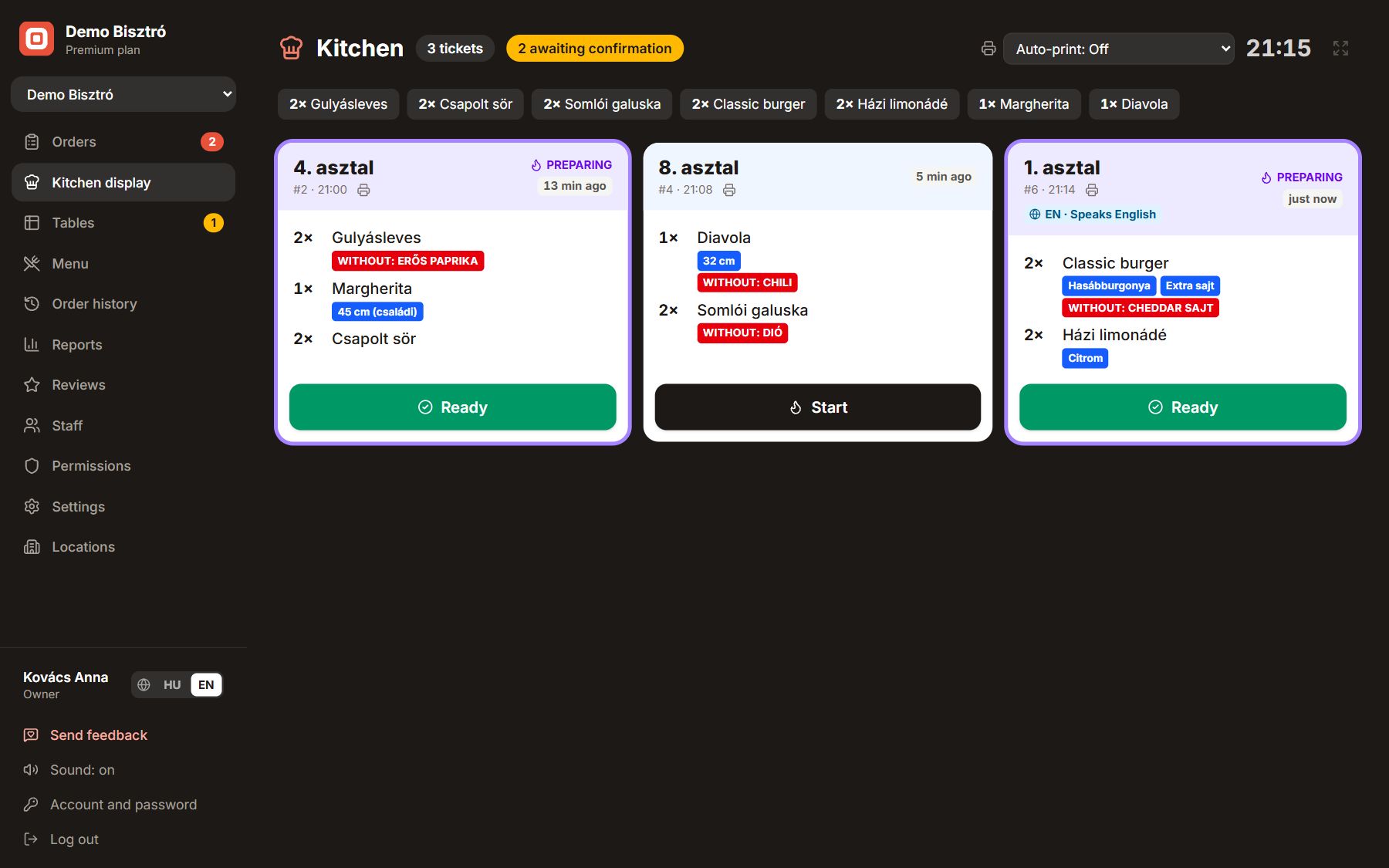
- Large tickets, coloured by elapsed time
- Removed ingredients, extras and notes highlighted
- One tap: preparing → ready; waiter and guest see it instantly
- Stations: drinks go to the bar display and printer, food to the kitchen – the order is ready when every station is done
Printing
- Automatic ticket printing for new orders
- Ticket layout optimised for 80 mm thermal printers
- The kitchen always gets the ticket in your language, whatever language the guest used
Menu management
You edit the menu yourself, anytime. Changes appear on guests’ phones instantly – no reprinting.
Content
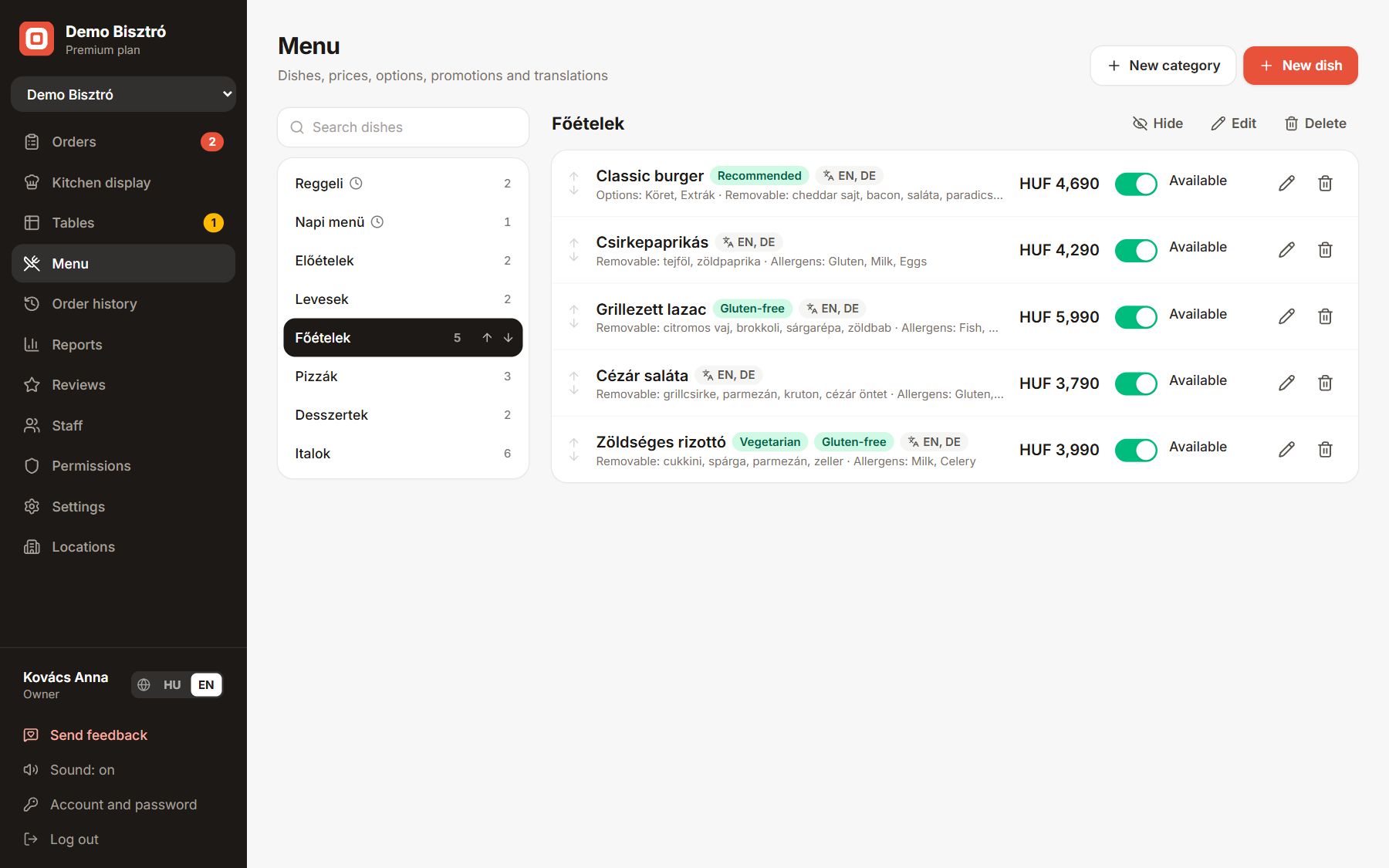
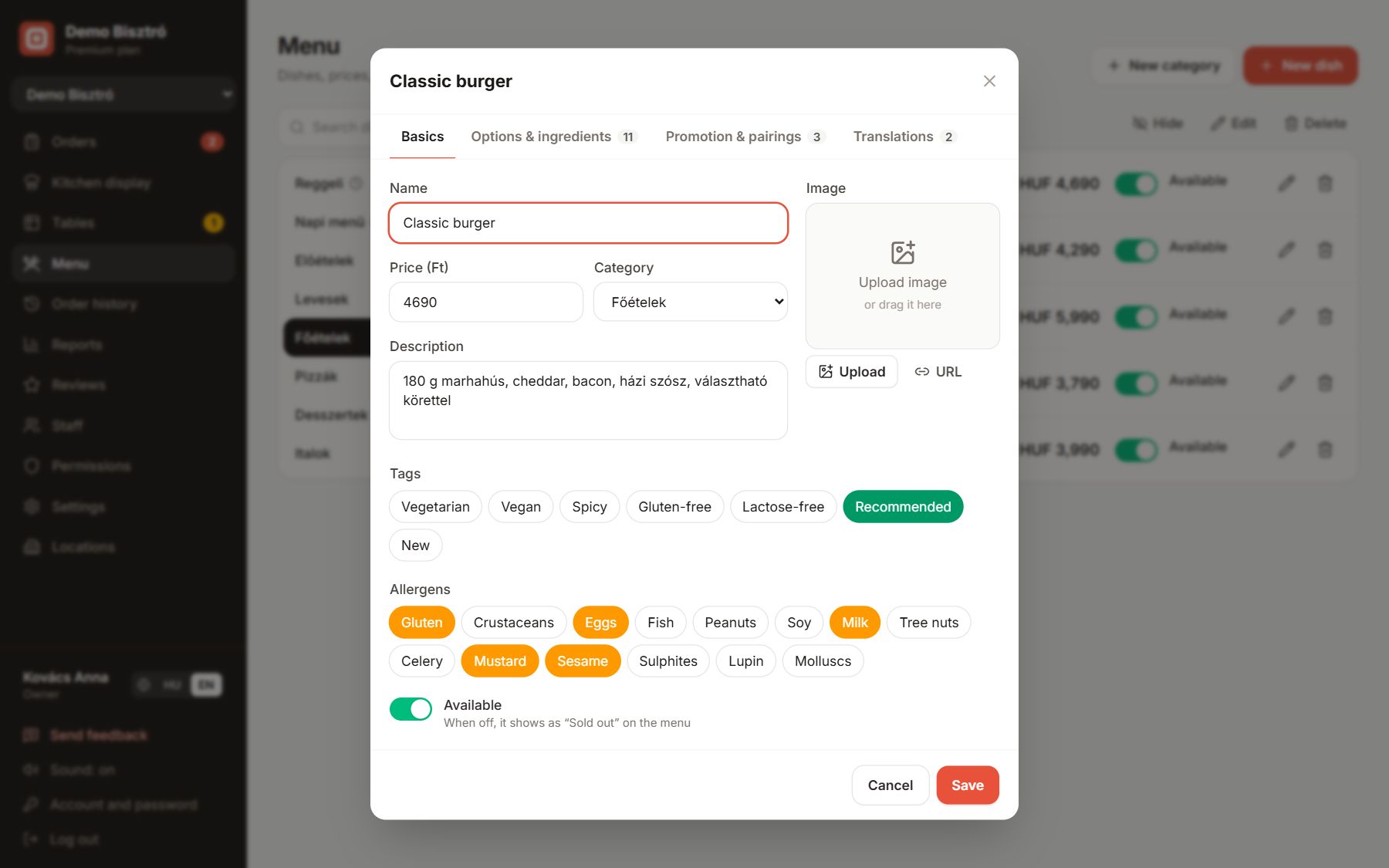
- Order categories and dishes, upload photos
- Option groups: required/optional, single or multiple, with surcharges
- Removable ingredients, allergens, tags
- English and German translations per dish
Selling
- One-tap “sold out” switch – can be allowed for waiters too
- Stock counts: “20 portions of goulash today” – sold out automatically at zero, guests see when only a few are left
- Scheduled categories: breakfast or daily menu only at set hours
- Promo prices for a time window (e.g. happy hour)
- Pairings: what the system suggests with each dish
Takeaway and pre-orders
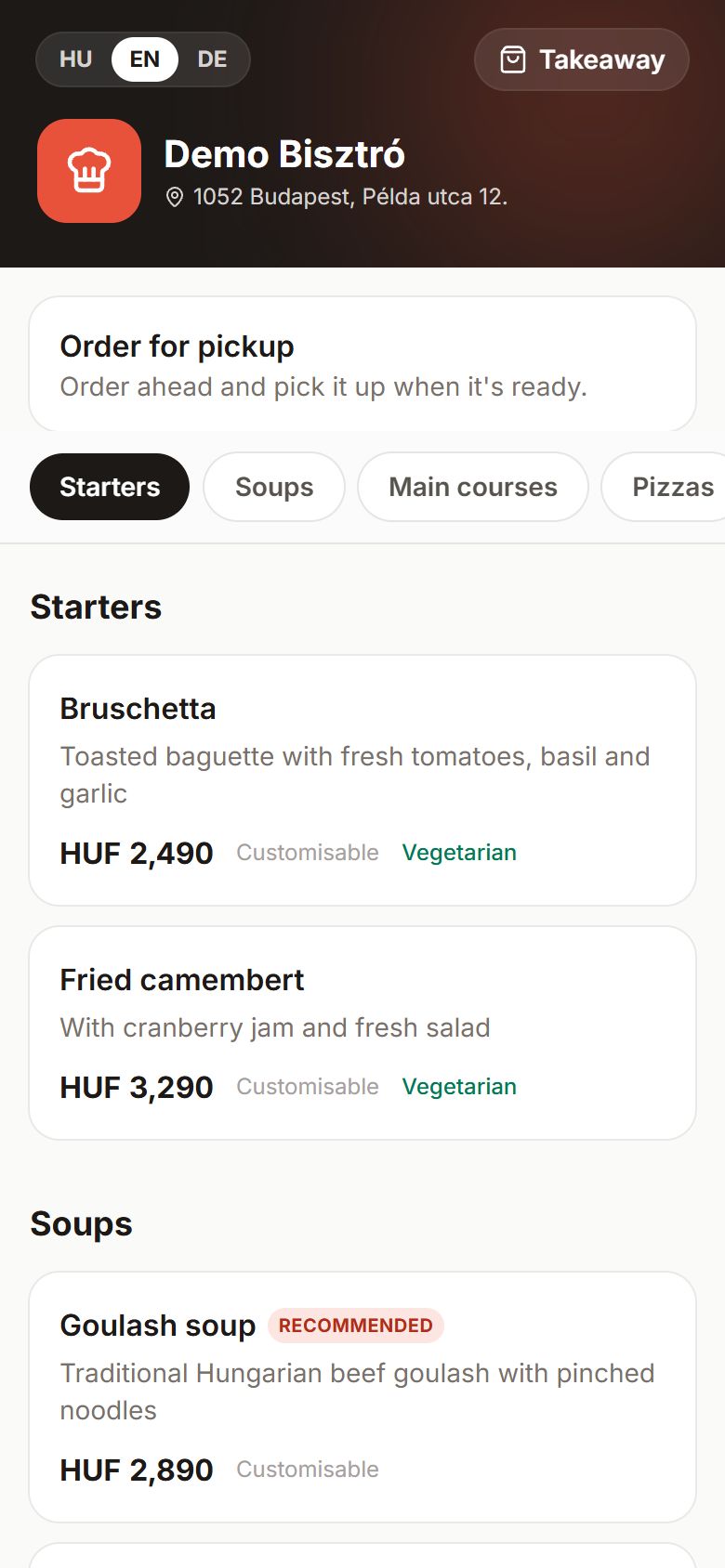
The same menu works without a table too: guests order ahead and pick up at the counter.
For guests
- Your own order page: qrolla.com/r/your-restaurant
- Pickup “as soon as ready” or at a set time
- Order number, live status and an email when it’s ready
For you
- Switch it on or off, with its own minimum preparation time
- Orders show up in the same place, marked “Takeaway”
- Pay on pickup; online payment comes later as an add-on
QR codes and security
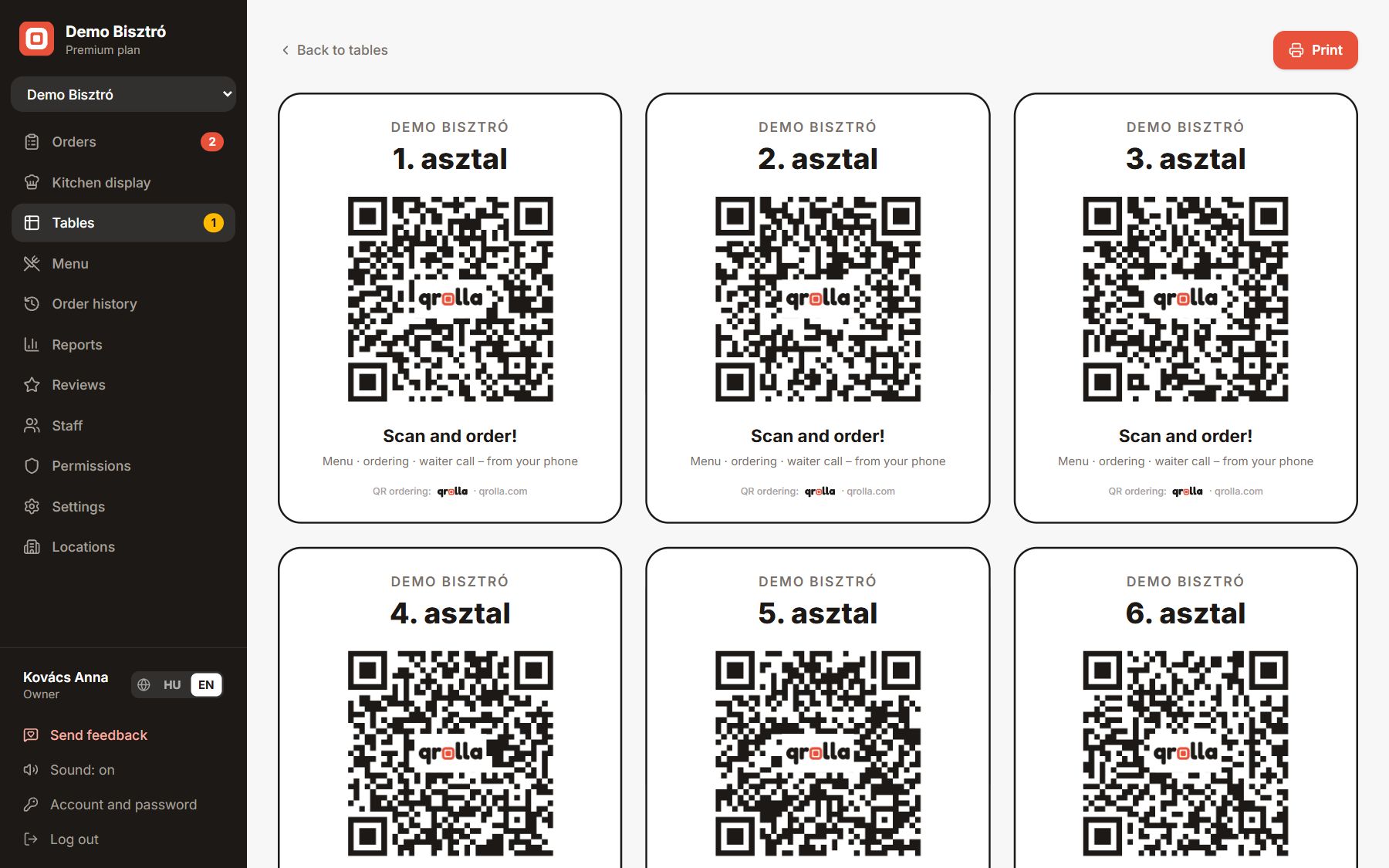
Every table has its own code. Print it, place it – done. If a code leaks, generate a new one with one click.
Codes
- Create tables one by one or in bulk (e.g. 1–20)
- Print-ready sheet with table numbers and a logo in the centre of the code
- Regenerate a code – the old one stops working immediately
Security
- A scan grants a 2-hour ordering window; opened from history it’s browse-only
- Every order is confirmed by staff
- Encrypted connection (HTTPS), data stored in the EU
Reports and reviews
No spreadsheets needed: every order feeds the numbers and shows you where the money is.
Numbers
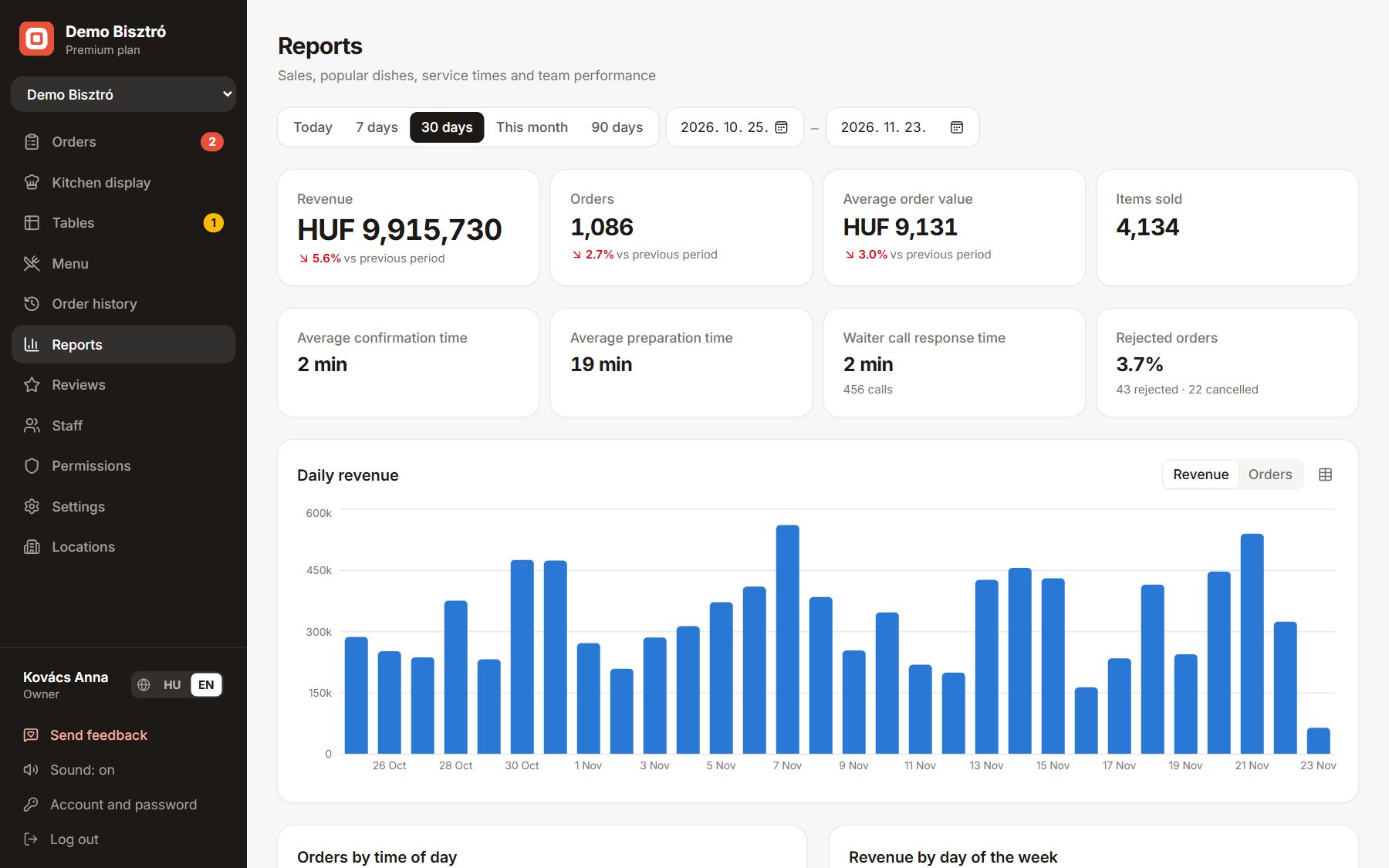
- Revenue by day, week and month; average order value
- Peak times by hour and weekday
- Best sellers, popular extras and most common changes
- Service times, team performance and guest languages
- Monthly summary by email
Reviews
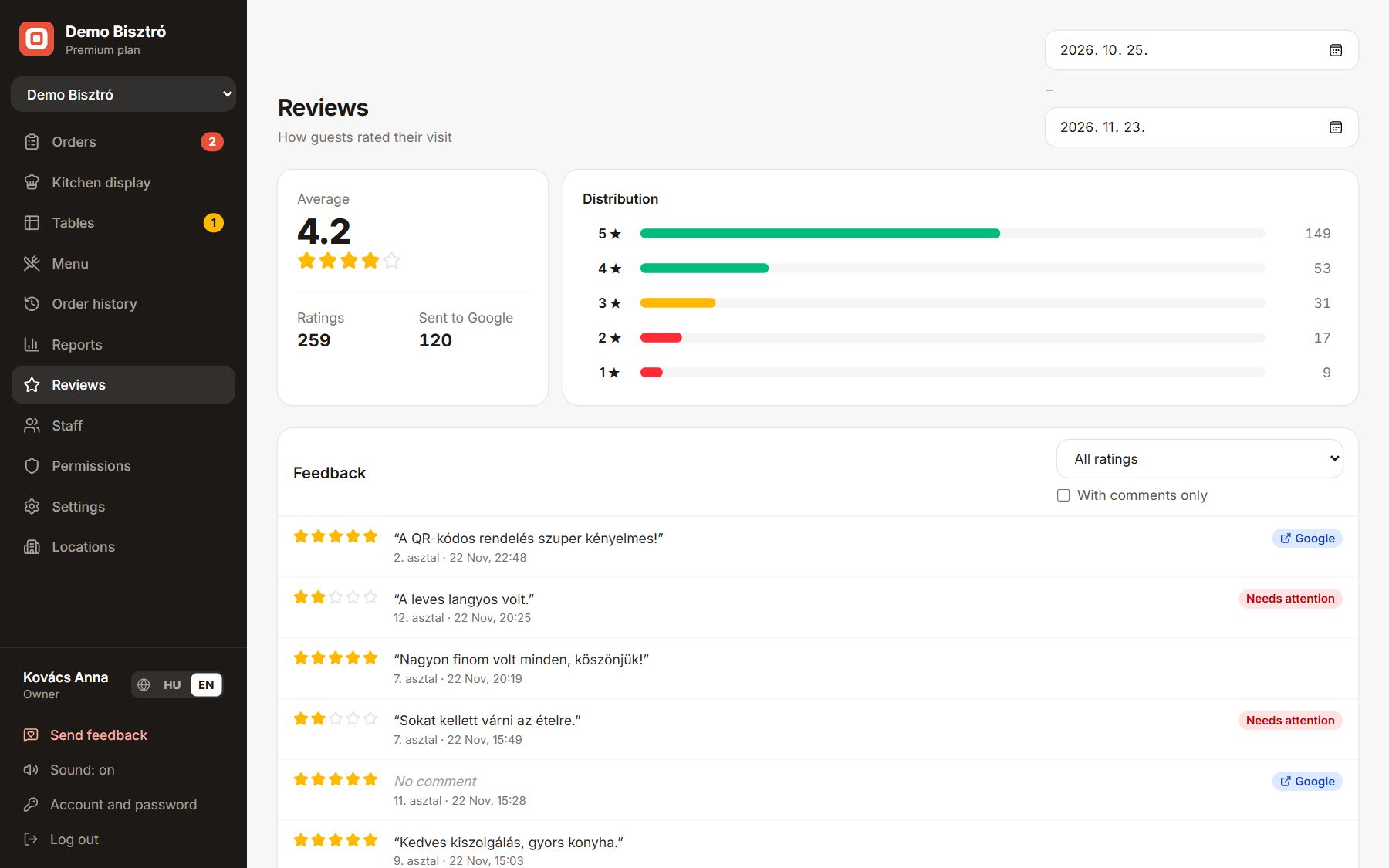
- Star rating at the end of the visit
- Happy guests are taken to your Google review page
- Negative feedback stays with you – time to fix things
Team and permissions
Everyone gets their own login and sees only what they need.
Accounts
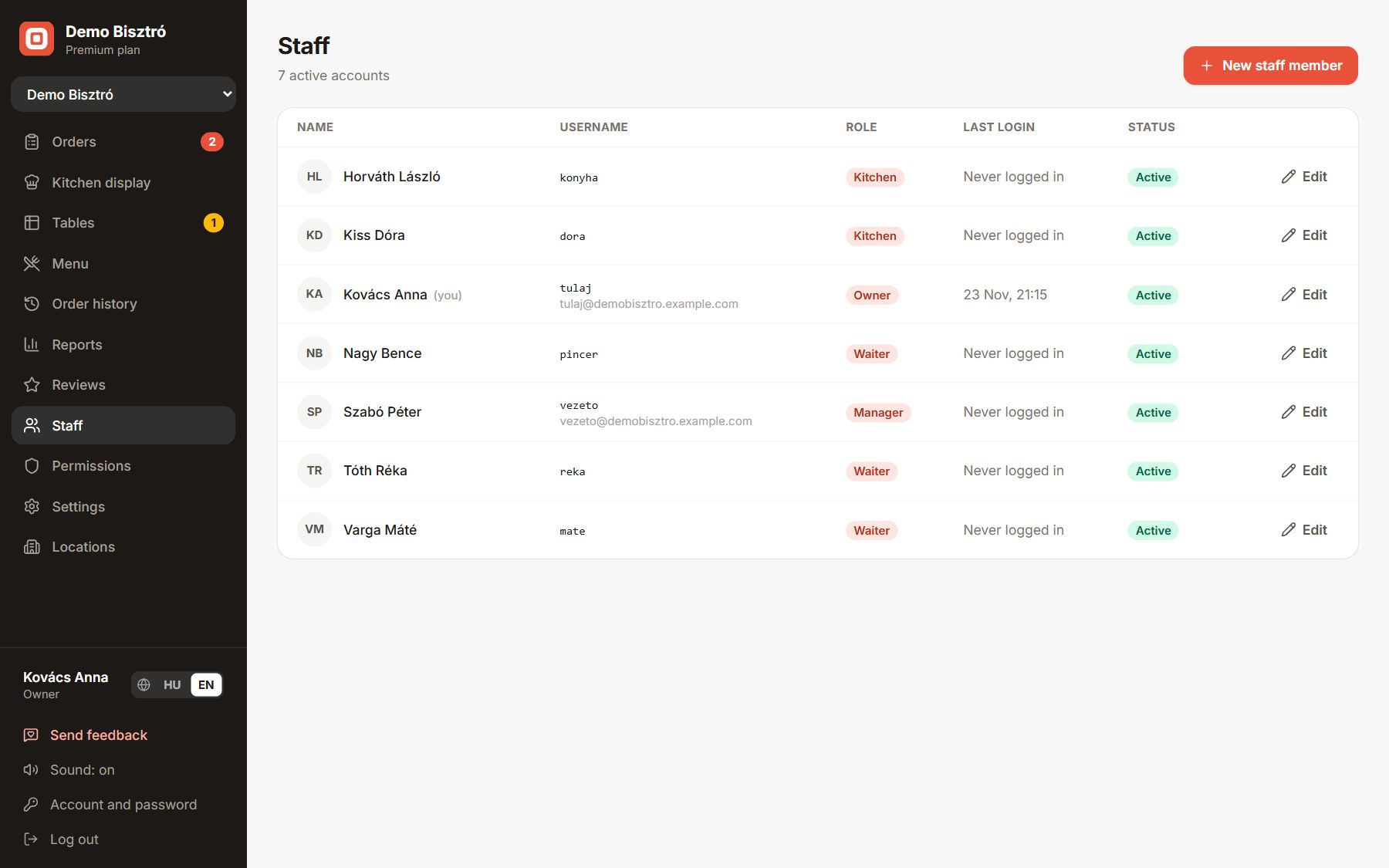
- Add staff with a username and password
- Disable an account with one click when someone leaves
Roles
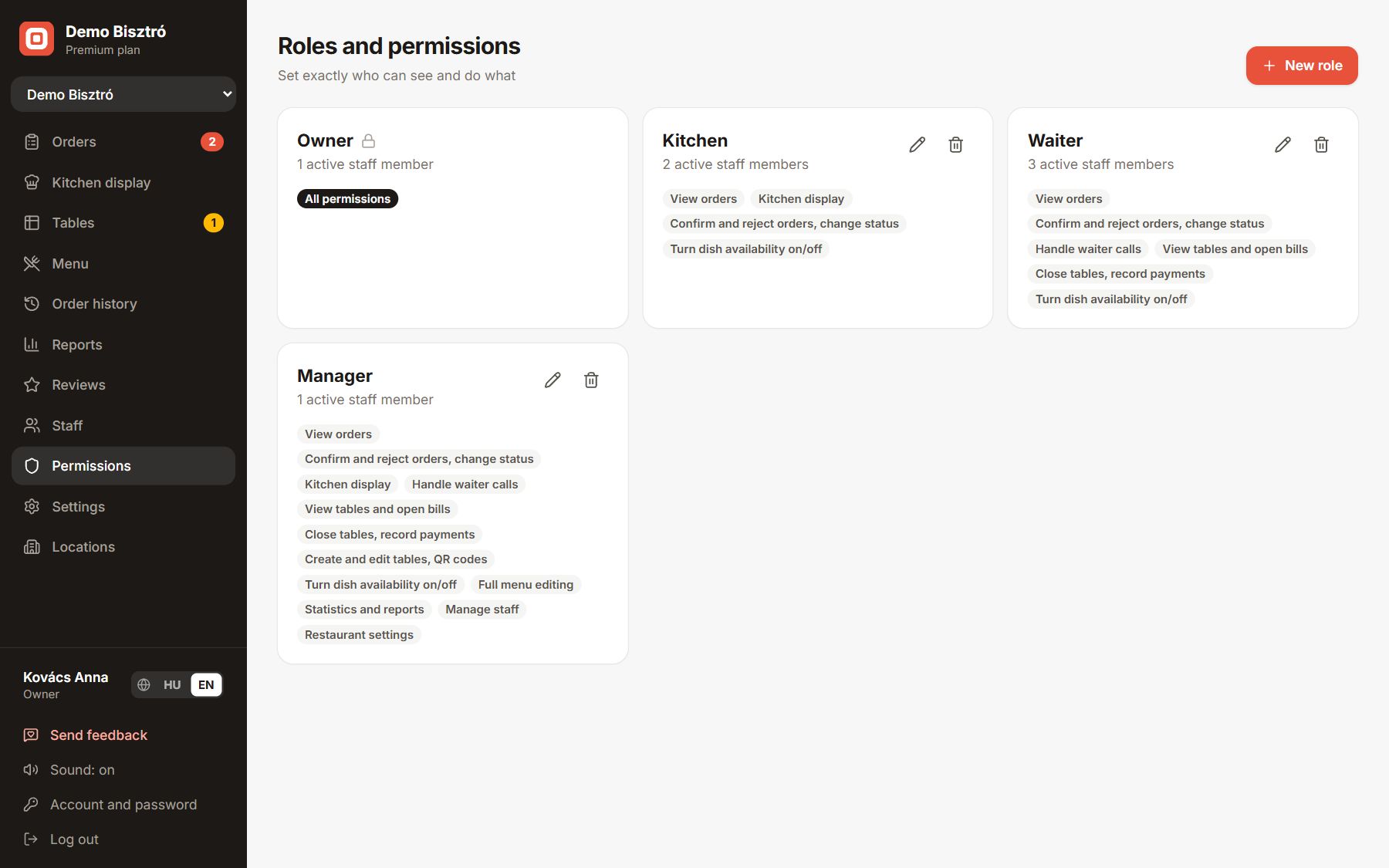
- Built-in roles: owner, manager, waiter, kitchen
- Custom roles with fine-grained permissions
Chains and branding
Run several locations from one account, and show the guest page in your own colours.
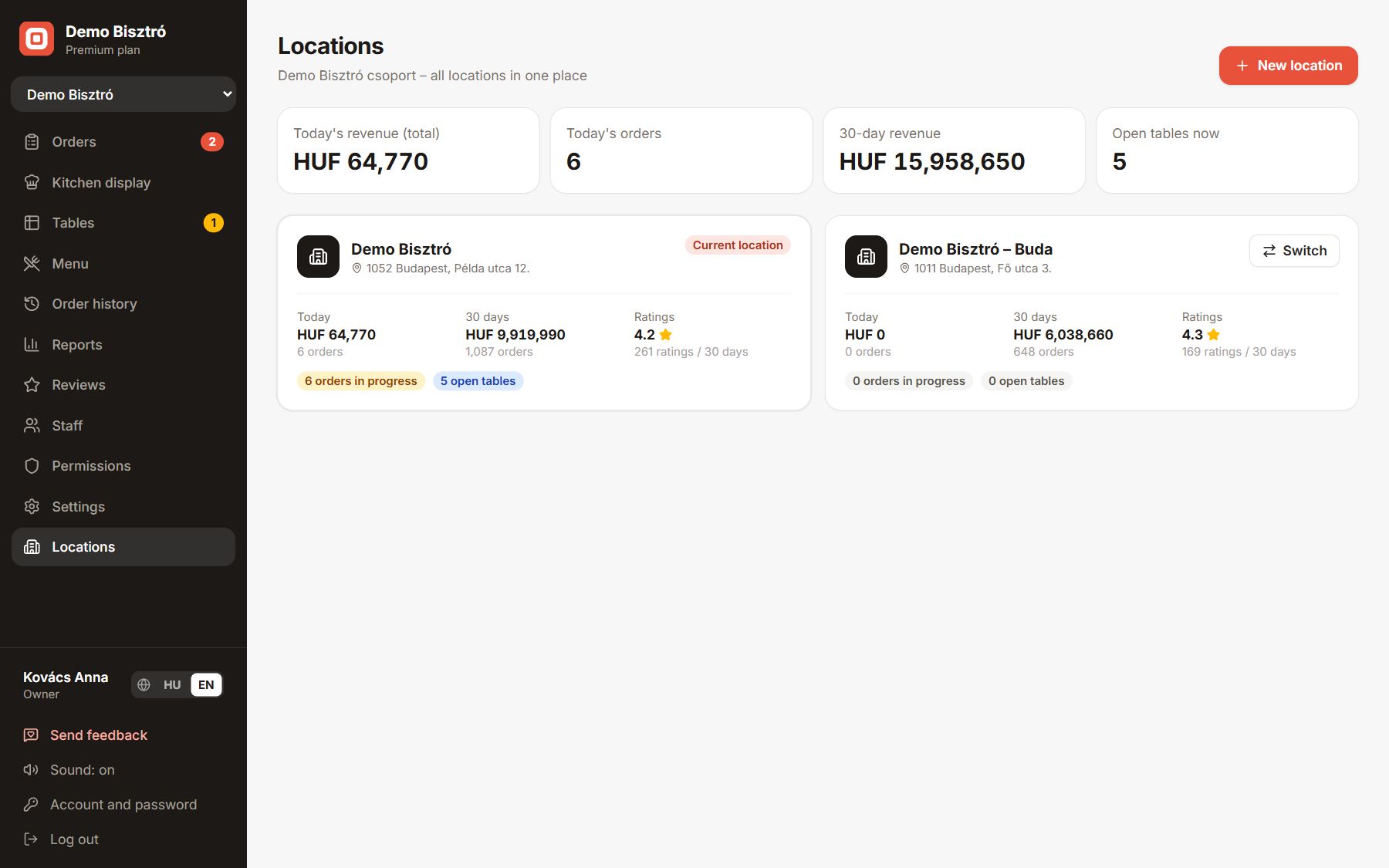
Multiple locations
- Open a new location by copying the menu and settings
- Switch between locations in one click, combined overview
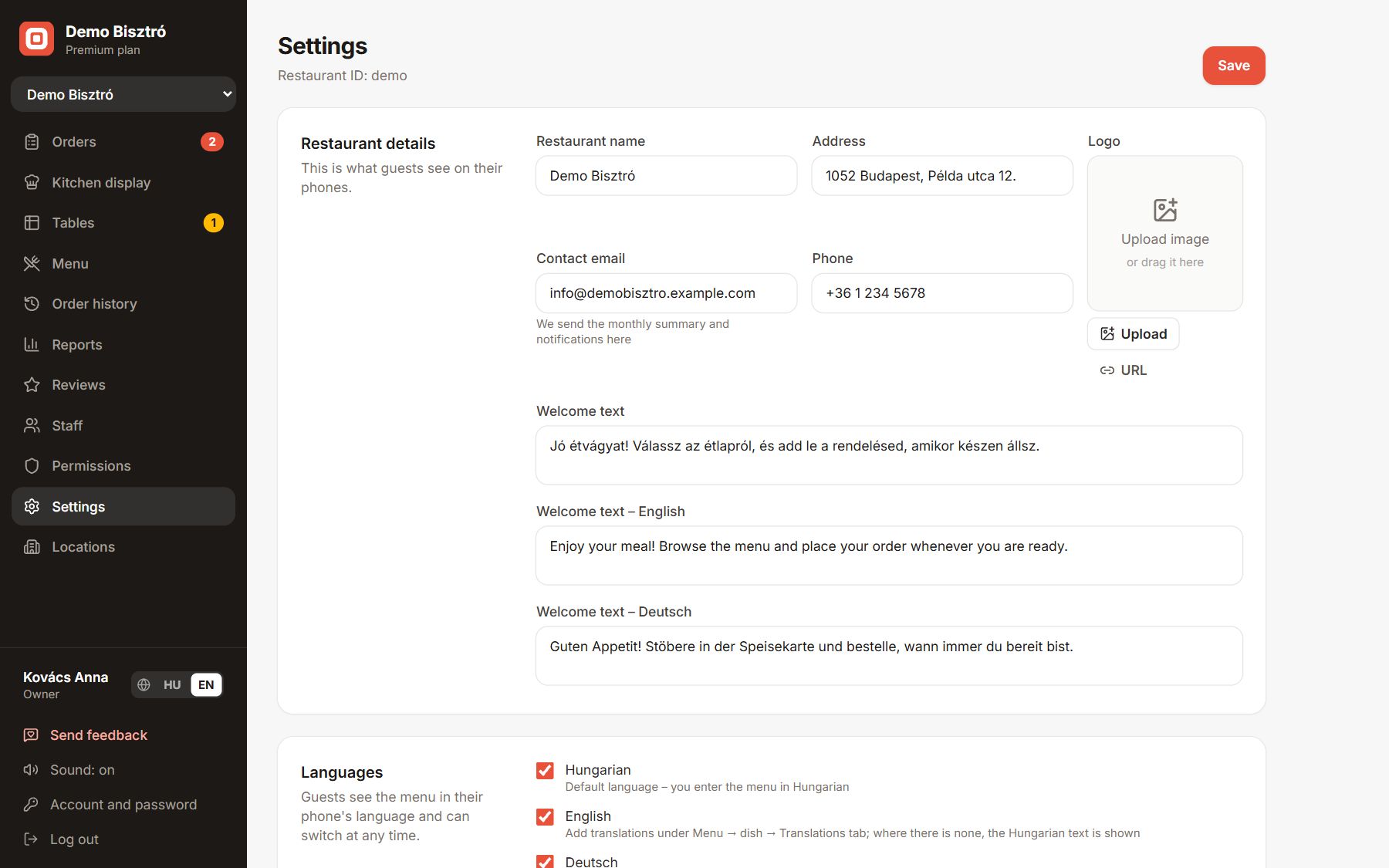
Branding and settings
- Brand colour, cover image and welcome text on the guest page
- Turn the waiter button, bill request and ratings on or off
- Payment methods, currency, languages
Rather try it yourself? Open the live demo →