Your own takeaway ordering page
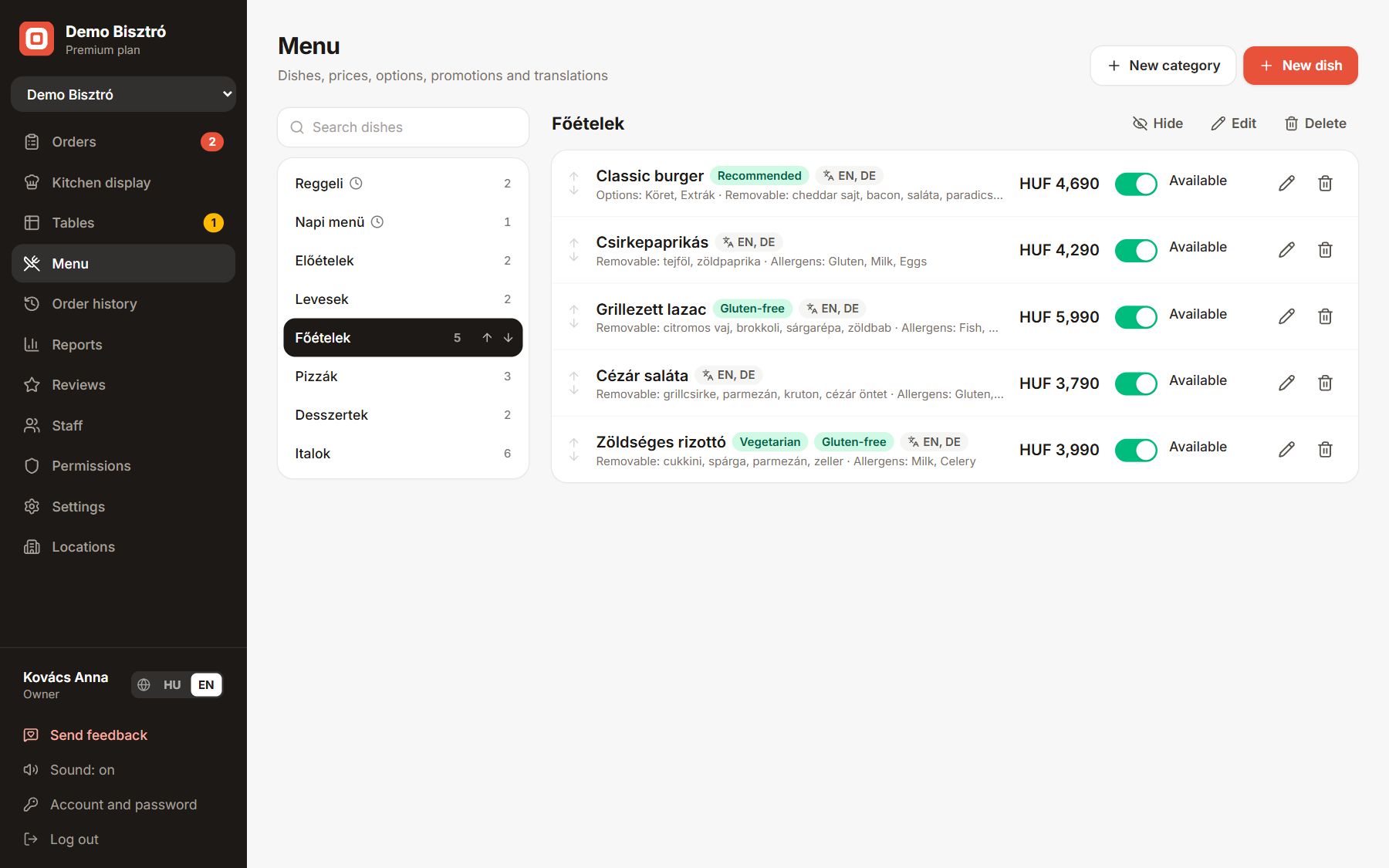
Your restaurant gets its own ordering page at qrolla.com/r/<restaurant>. It uses the same menu as your QR code table ordering, so you only maintain one menu: change a price or mark a dish as sold out and it updates everywhere at once.
You pay no commission on orders. Qrolla is free during the launch period and will then move to a flat monthly fee, never a cut of your takings. It suits pizzerias, cafés, lunch spots and any restaurant tired of taking orders over the phone.
To be clear, this is click and collect, not delivery. Customers order online and pick up from you. Qrolla does not offer couriers or delivery management.
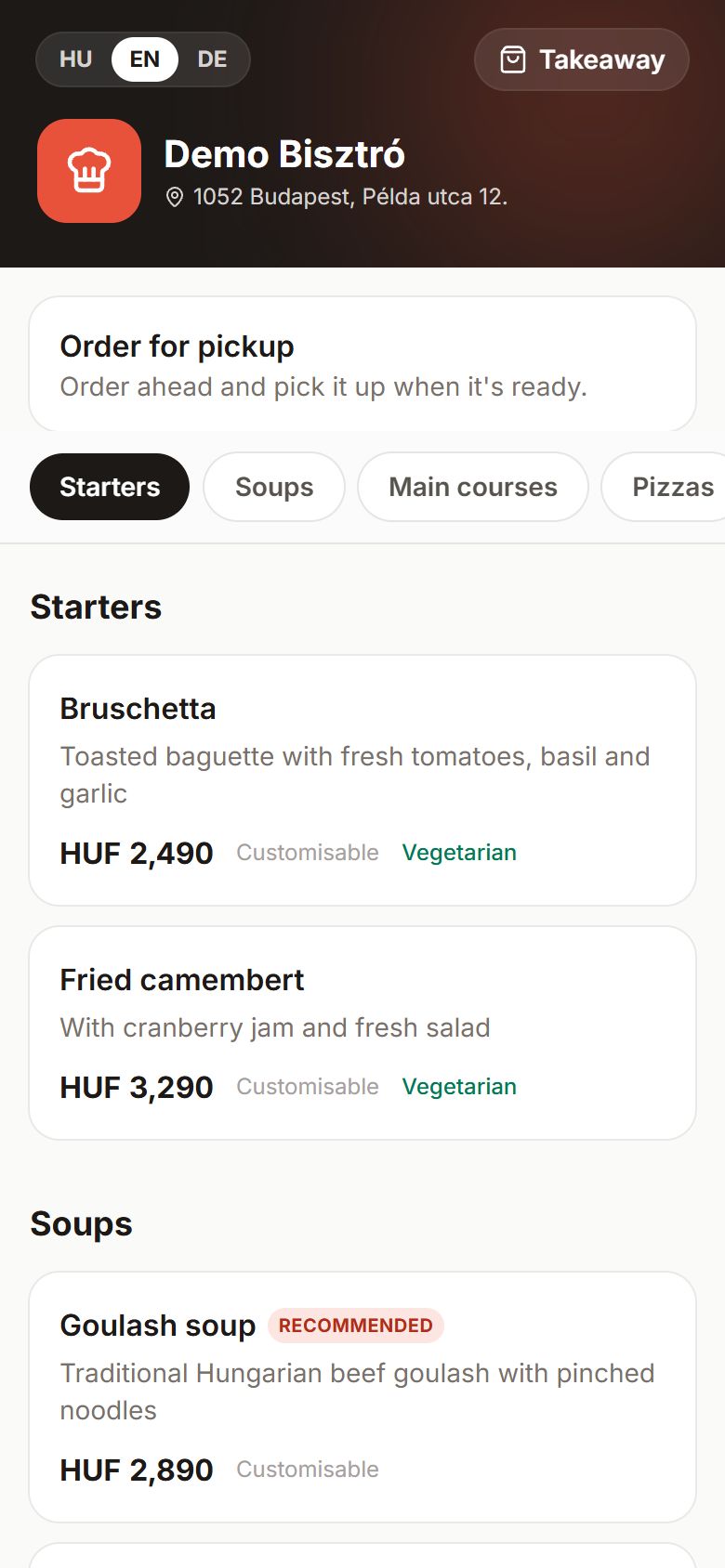
How customers place a pre-order
The customer opens your link on a phone or computer, with no app and no account. They browse the menu with photos, allergens and options, add items to the basket and choose when to collect.
The page appears in English, Hungarian or German depending on the phone’s language. You enter the dish translations yourself, as there is no automatic translation, and the kitchen always receives the order in your own language.
- “As soon as ready” for the earliest possible pickup
- A chosen time in 15-minute slots, from your minimum lead time until the end of the day
- Name and phone number required, email optional
- An order number and a live tracking page after checkout
Live tracking and email updates
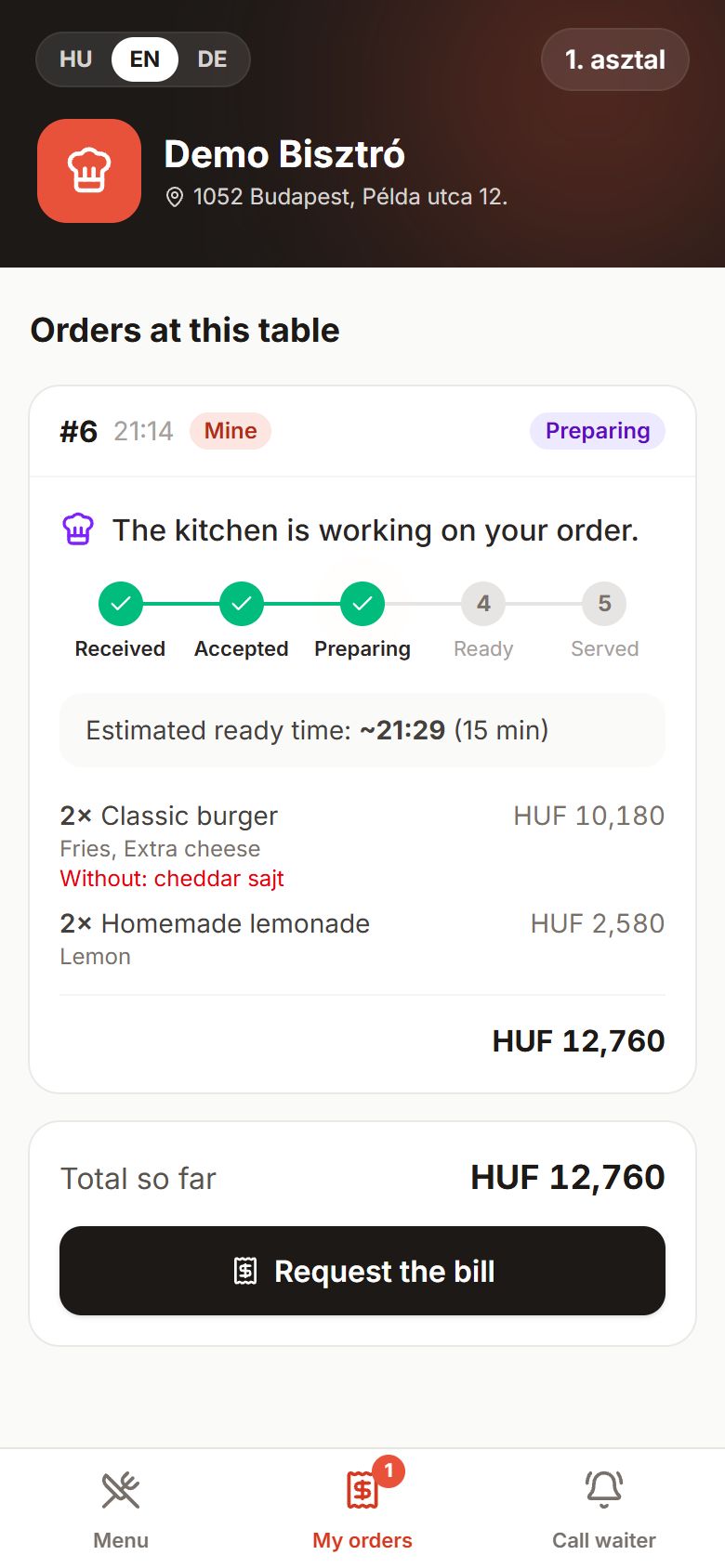
After ordering, the customer sees a tracking page that updates live. If they gave an email address, they also get an email when you confirm the order, when it is ready, or if you have to reject it, in their own language.
Until the kitchen starts preparing, the customer can cancel or change the order, and any change comes back to you for re-confirmation. There are no SMS notifications: updates go by email and the tracking page, and you have the customer’s phone number if you need to call.
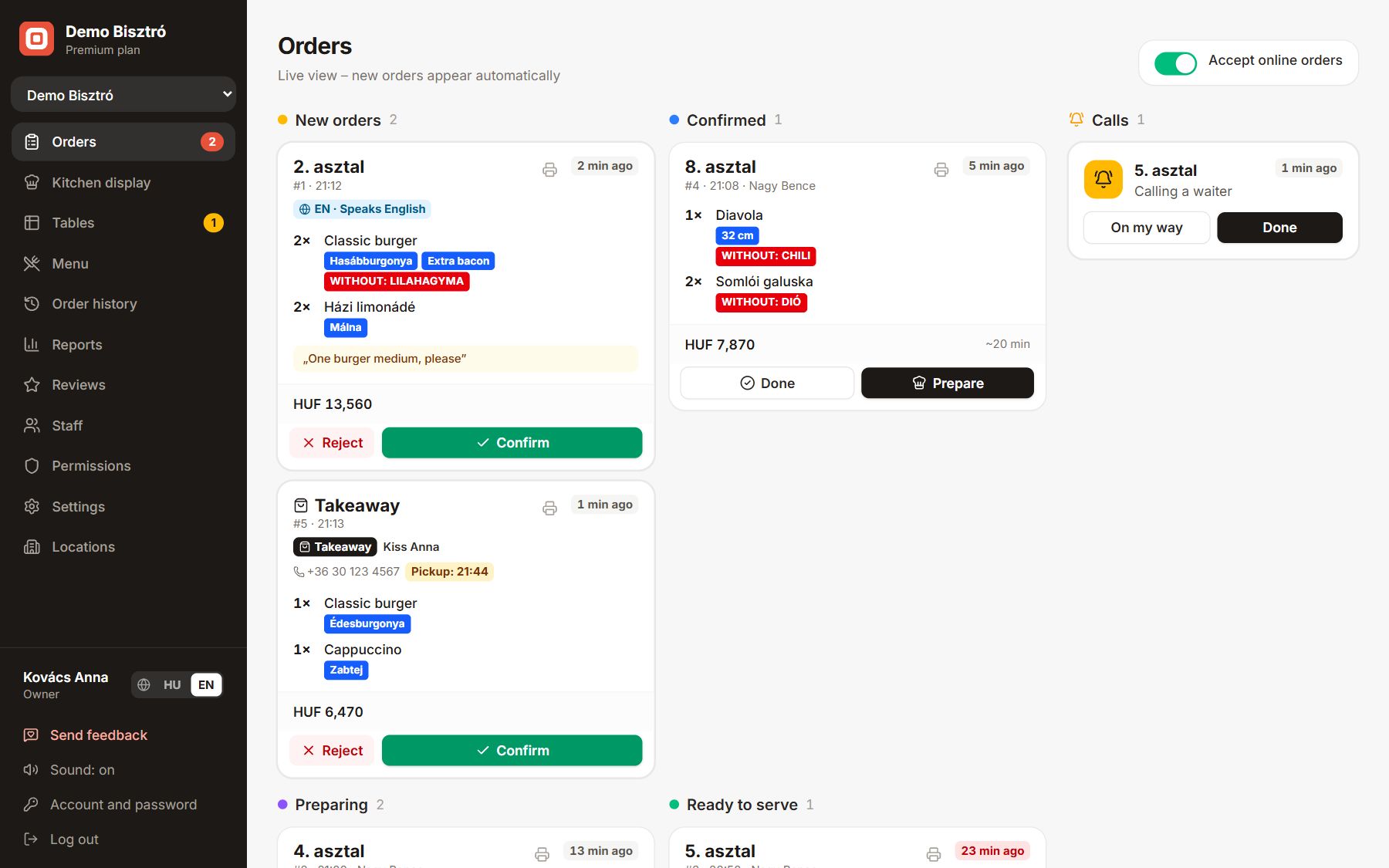
One order board for dine-in and takeaway
Takeaway orders appear on the same order board and kitchen display as table orders, marked “Takeaway” with the pickup time and the customer’s name and phone number. No separate tablet on the counter, and no scribbling down phone orders.
You confirm each order with an estimated time, or reject it with a reason, for example when an ingredient has run out. If kitchen ticket printing is set up, takeaway orders print too, split by station so the bar and the kitchen each get their own items.
Payment on collection
Customers pay at the counter when they collect, by cash or card on your own terminal. At handover, staff record the payment method in Qrolla, so it shows up in your reports and exports.
There is no online payment yet; it is planned for later. Receipts still come from your own till, as Qrolla is not a POS system.
Paying on collection does carry a risk of no-shows. Requiring a phone number helps, and for a large order you can always ring the customer before confirming.
Stay in control of capacity
Fully booked on a Friday night and the kitchen cannot take more? Switch takeaway off and back on when things calm down. A minimum preparation time stops anyone ordering a pizza for five minutes from now when you know it takes twenty.
Selling a lunch menu? Scheduled categories show it only during its time window, and stock counts make sure you sell exactly as many portions as you cooked.
- Turn takeaway ordering on or off with one switch
- A separate minimum preparation time for takeaway
- Mark a dish as sold out with one tap
- Daily stock counts: “only N left” at 5 or fewer, sold out automatically at 0, reset at 4 am
- Scheduled categories such as breakfast or a lunch menu
Customer data that does not pile up
Takeaway orders need a name, a phone number and optionally an email address for handover and notifications. Customer contact details are anonymised automatically after 90 days, and data is stored on an EU server over HTTPS with daily backups.