What is a kitchen display system?
A kitchen display system, or KDS, replaces handwritten checks and paper rails with a screen in the kitchen. Orders appear as tickets, and nothing gets lost under a greasy docket or misread from a waiter’s handwriting.
Qrolla’s KDS is part of its QR code ordering system. When a guest orders from their table and a member of staff confirms it, the ticket lands on the kitchen screen straight away. When the food is ready, the cook taps a button and the front of house knows it is time to collect.
There is no special hardware to buy: the display runs in a web browser on a tablet, TV or laptop.
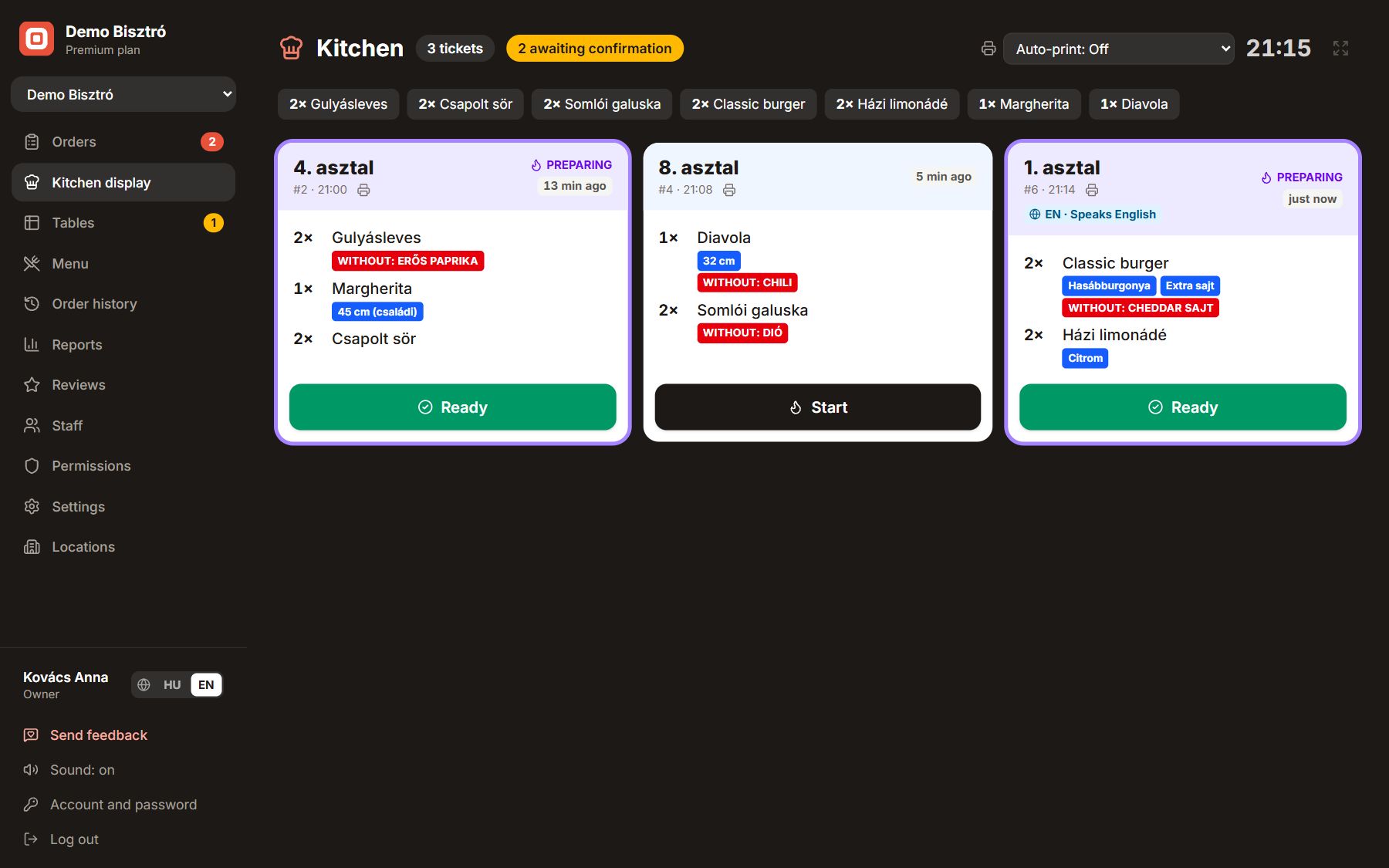
Tickets your cooks can read from across the kitchen
Each order is shown as a large ticket with the table and the items. The ticket colour changes as time passes against the estimated preparation time, so the orders at risk of running late stand out without anyone having to check the clock.
The details that cause most kitchen mistakes are highlighted rather than buried: removed ingredients (for example “WITHOUT: onion”), chosen extras and the guest’s notes for the kitchen.
In a rush, the running total bar is the feature cooks like most. If six tables have ordered nine portions of fish and chips between them, the fryer station sees the total and can batch them instead of counting ticket by ticket.
- Tickets colour-coded by elapsed time
- Clear “WITHOUT” labels for removed ingredients
- Extras and kitchen notes highlighted
- Running totals of how many of each dish are needed right now
- Full-screen mode for a clean, distraction-free display
Start, ready, done: everyone sees the status
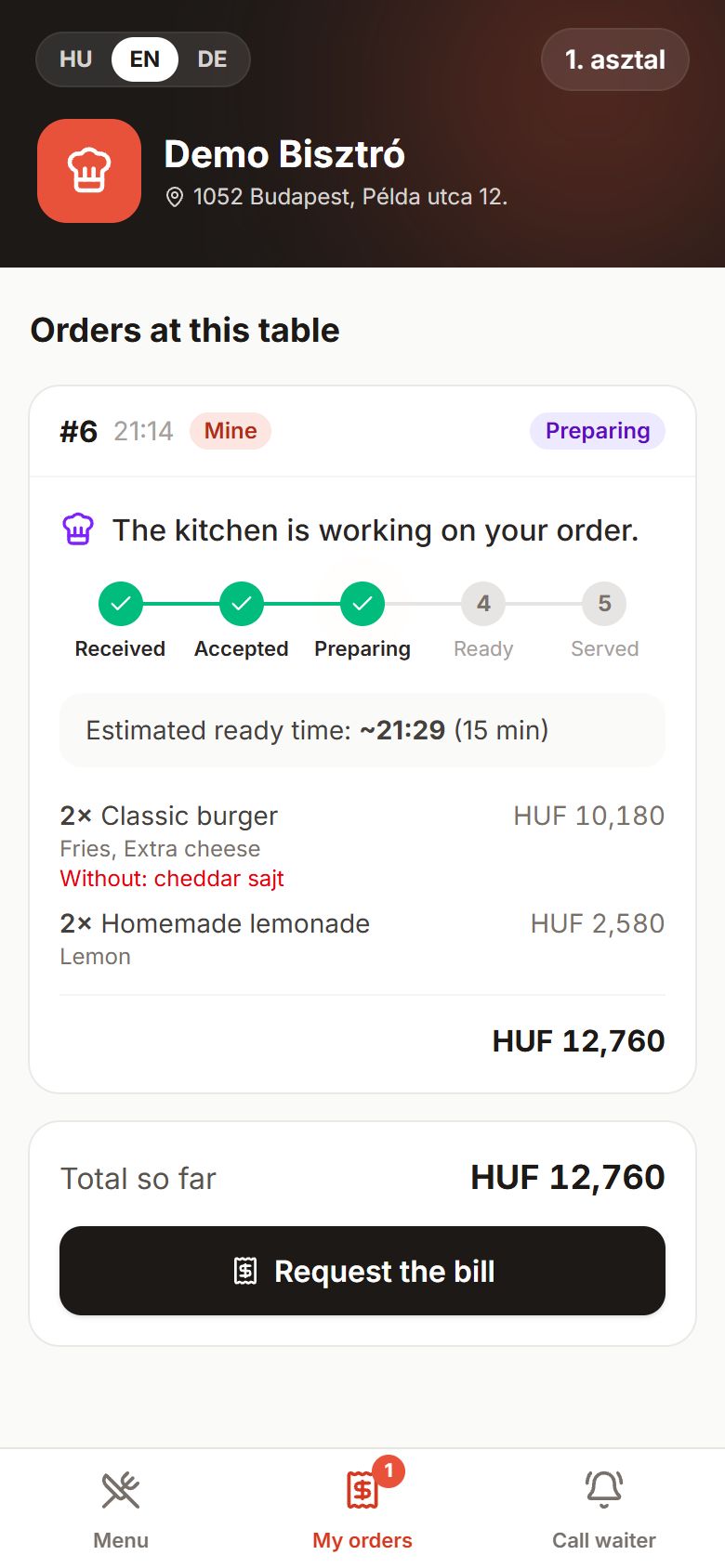
Every ticket has two steps. “Start” tells everyone the order is being prepared, and “Ready” tells the floor it can go out. The status updates instantly on the waiters’ order board and on the guest’s phone, where they can follow the order from received to confirmed, preparing, ready and served.
This also protects the kitchen. Until preparation starts, a guest can cancel or change their order; a changed order goes back to staff for re-confirmation and the ticket reprints automatically. Once a cook presses “Start”, the order is locked, so no half-cooked dish gets binned.
The screen shows confirmed orders and orders in preparation, with a counter of orders still waiting for confirmation, so the kitchen can see what is about to arrive.
Separate stations for the bar and the kitchen
Most venues do not prepare everything in one place. Qrolla starts with two stations, Kitchen and Bar, and you can add your own, such as Grill or Pizza, up to ten in total.
You assign each menu category to a station, and individual dishes can override their category. Drink categories go to the bar automatically. Each device chooses which station it shows and prints, and remembers that choice. In a smaller venue, “All stations” mode turns one screen into a single combined kitchen display.
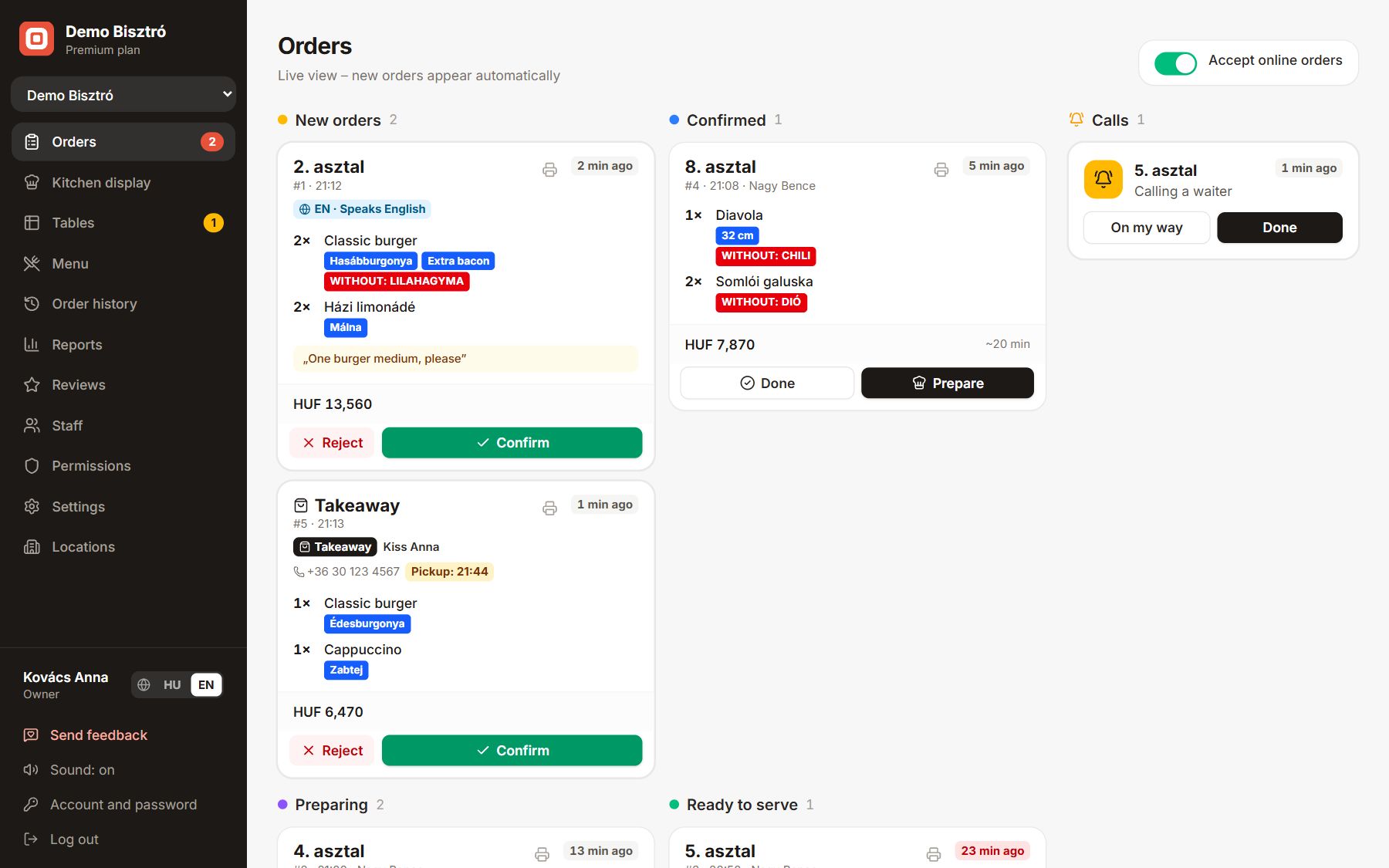
Each station marks its own part as started and ready, and the order only becomes “ready” when every station has finished. On the order board, chips such as “Bar ✓, Kitchen in progress” show waiters exactly where things stand, so drinks can go out while the mains are still cooking.
Kitchen ticket printing on an 80 mm thermal printer
Some chefs prefer paper. Qrolla can print kitchen tickets automatically on an 80 mm thermal printer, set per device to print either when a new order arrives or when it is confirmed.
Printing uses the browser’s own print function. To print without a dialog popping up for every ticket, launch Chrome or Edge with the --kiosk-printing flag, and tickets will go straight to the kitchen ticket printer.
The printer is optional. Plenty of kitchens run on screens alone, while others keep a screen in the kitchen and a printer at the bar.
- Each station’s printer prints only that station’s items
- The station name is printed on the ticket
- A manual reprint button for lost or splashed tickets
- Automatic reprint when a guest changes an order
What hardware do you need for a KDS?
Anything with a modern web browser. A 10-inch tablet is enough for a small café; a larger kitchen is better served by a wall-mounted TV or monitor that can be read from a few metres away.
A few practical tips: mount the screen at eye level rather than directly above the range, turn off the device’s automatic screen lock, and use full-screen mode. Access is controlled by the built-in kitchen role, so your cooks see the kitchen display without seeing revenue or settings.
It is also worth knowing what Qrolla does not do. There is no bump bar or other specialist hardware integration; you use the display by touch, mouse or keyboard. Qrolla is not a till or POS system either, so receipts and your official reporting stay with your existing systems.
Measure how fast your kitchen really is
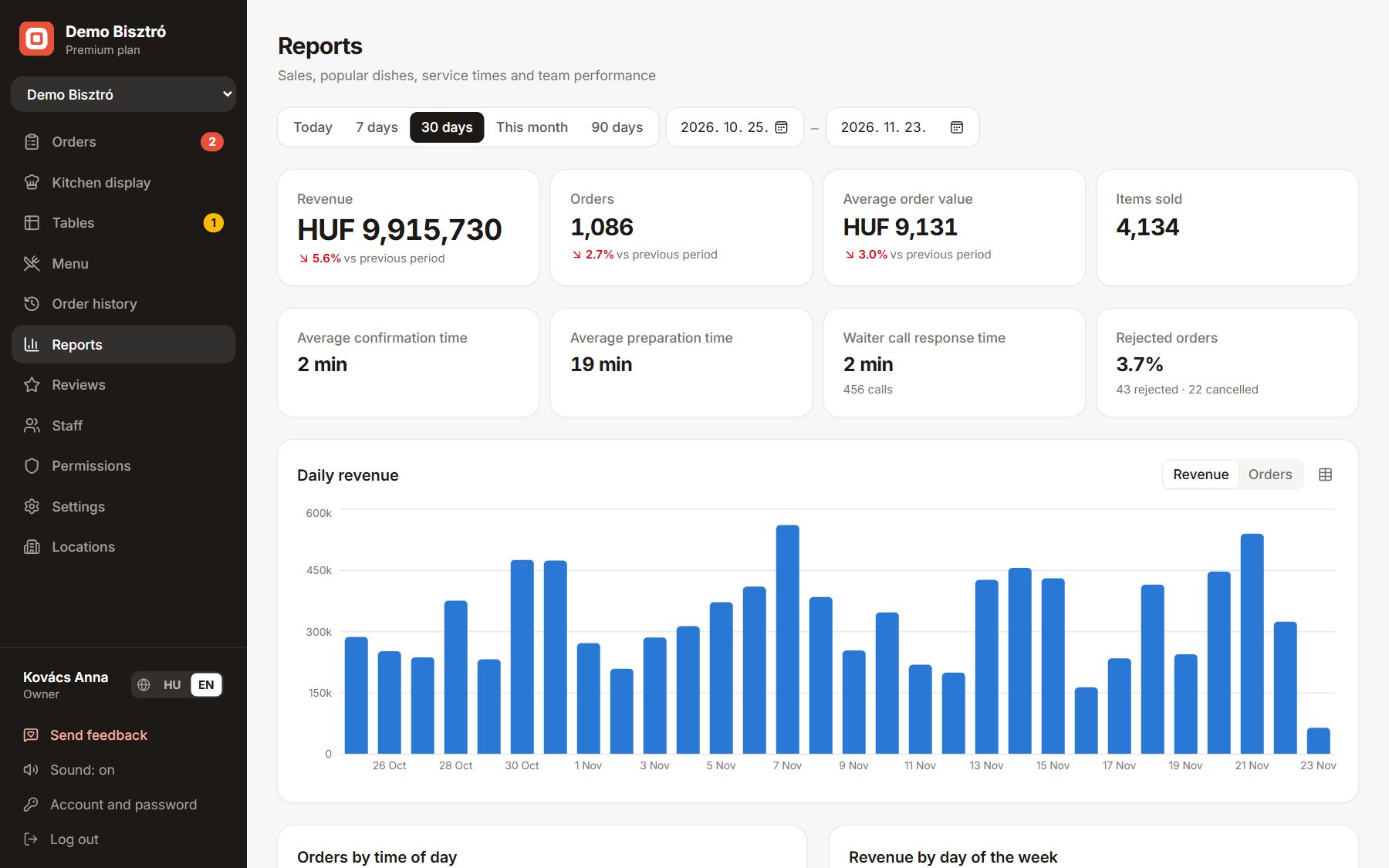
Because every step is time-stamped, the reports show your service times: how long orders wait for confirmation, and how long they take from confirmation to ready. Alongside those you get peak hours, best sellers, extras and team performance.
If preparation times creep past twenty minutes on a Friday evening, you will know from the data rather than a hunch, and can add a cook, simplify the menu or rebalance your stations.
Set up your kitchen display today
With a small menu, setup takes about 15 minutes: add your dishes, assign categories to stations and open the display on a kitchen device. Qrolla is free during the launch period, with no card needed to sign up, no commission and no lock-in.
Try the live demo to watch an order travel from a guest’s phone to the kitchen screen, or sign up and test it with your own menu.